Monday, 1 March 2021

19 A/B Tests You Should Run on Your Website

how to a/b test your website

Conversion rate optimization isn’t an easy game to play, especially if you’re the new kid on the block. One of the best ways to improve CRO is by A/B testing features on your website.

The real challenge with CRO is in knowing how to start and what to test. This post covers the latter.

There is one thing to keep in mind: testing every random aspect of your website can be counter-productive. You can blow time and money on software, workers, and consultants, testing things that won’t increase your website revenue enough to justify the tests.

So before you dive in, make sure to think about what your goals are.

Then, take a look at the following tests and see which ones make sense for your specific business. If so, ahead and run it. If not, try another one.

A/B Test: Typography

Typography is proven to affect conversions in a major way, but casually testing each Google font won’t get you anywhere. There are a few aspects of typography you need to test first before getting specific with typefaces.

1. Serif vs. Sans Serif

Serif typefaces are accented with various widths for each line in a character and contain flourishes (for example, Times New Roman). Sans serif typefaces are just the opposite, plain with a consistent width (like Arial).

I suggest using sans serif, but interestingly, Georgia (a serif typeface) is by far the most popular typeface on the web.

Try both varieties to see which works best for your website.

serif vs. sans serif how do you ab test a webpage

As per a WDD infographic, sans serifs are best for the web, and serifs for print.

2. Colors

For your blog, your long-form copy, and most of the text on your website, always go with black (dark) text on a white (light) background. It’s a traditional color scheme our eyes are accustomed to.

For your calls to action and other smaller, more impactful text elements, however, test each of the basic eight colors (or whatever colors fit with your design). Always remember this principle: what stands out gets clicked.

3. Font Size

Tahoma tends to be the most legible at 10 px, Verdana and Courier at 12, and Arial at 14 px.

Whatever typeface you choose, make sure that you test the differences in user engagement and click-throughs according to the size of the font. These days, as mobile traffic increases, larger tends to work better — but not always.

4. Typefaces

Finally, we get to the most tedious typography test – typefaces. Take this one with a grain of salt. Don’t test each of the 700+ Google fonts available. Doing so would be very counter-productive. Only test a few of the major ones that harmonize with your design.

When testing these, you’ll also want to go with an A/B/C/D/etc. test. This will let you test multiple typefaces at a time.

A/B Test: Calls to Action

Your call to action (CTA) is the most influential element on your landing page. Period.

As such, it requires a substantial amount of experimentation. Here are a few of the main call to action “ingredients” you need to test.

5. Position

Too often, web designers put the call to action button in the middle of the landing page above the fold, and just leave it there, because it’s what you’re “supposed” to do.

But did you know that locating your CTA below the fold could increase your conversion rate by 304 percent? Don’t take anything for granted: test above the fold, below the fold, in the middle/left/right of the page, and relationship to text elements.

6. Color

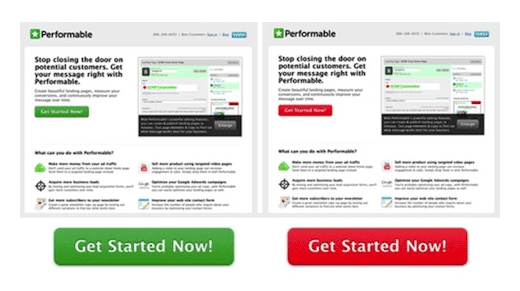
Color is a biggie in most CRO tests. Many have read this post on HubSpot about how a red CTA button beat a green one with a 21 percent increase in conversions. But a similar test in the Content Verve post (linked to in test #5 above) detailed how a green “add to cart” button got 35.81 percent more sales for an e-commerce store than a blue one.

A contrasting color that is distinct and stands out from the other elements on the page seems to work best. Experiment to see what works for your CTA. Don’t rely on other people’s tests to pick a color.
performable comparison how do you ab test a webpage

7. Text

As the most crucial copy on your landing page, your call-to-action button text needs to be tested heavily. Try out various lengths, pronouns, power words, and action verbs.

Back when the 2007 U.S. election campaigns were in progress, Obama raised an extra $60 million just by changing his CTA button text from “Sign Up” to “Learn More.”

Yes, that’s a 60 million dollar test.

Don’t miss out on those potential returns.

A/B Test: Pricing Schemes

This section encompasses more than just what price you set for your product/software. You also have to think about free trials and money back guarantees.

8. Freemium vs. Free Trial vs. Money Back Guarantees

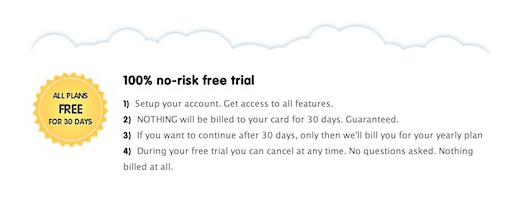
To allow prospects to try products (and yes, product demos are important), vendors usually offer at least one of three models: a very basic freemium product with limited features that can be used forever, a time-sensitive free trial that allows users to experience all the bells and whistles, and a time-sensitive money back guarantee.

Changing from a freemium software model to a 14-day free trial increased Acuity Scheduling’s paid signups by over 268 percent. Try each model to see which works best for your business.
how do you ab test a webpage free trials

9. Free Trial Length

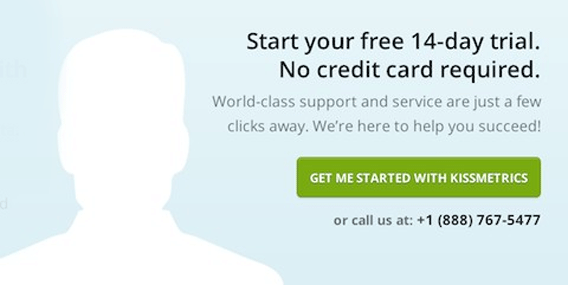
If a time-sensitive free trial is what works for your website, then how long should that free trial be? 7 days? 14, 21, 30? Test it!

This post on Sixteen Ventures mentions how shortening a 30-day free trial to 14 days proved to be a profitable choice for a SaaS company.

Depending on your particular niche, the results may vary. As you can see below, for Crazy Egg, a 14-day free trial is the sweet spot.
how do you ab test a webpage free trials

10. Pricing Each Plan

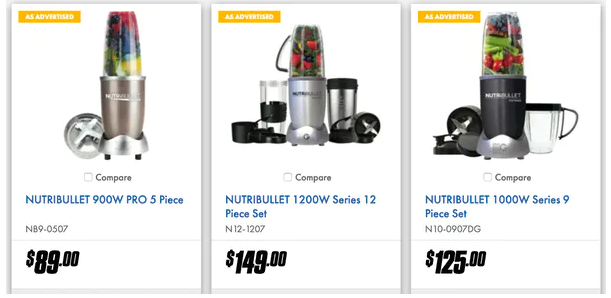
Don’t forget to experiment with your pricing plans. Not only should you try out different prices for plans (should your price be $x9 or $x7?), but you also should play around with the features of each to make your higher-ticket plans convert better.

Oh, and don’t forget: decoy pricing models are the bomb. By offering a much higher price before a mid-tier option, users are likely to spend more without realizing why.
a/b testing you website decoy pricing

A/B Test: Landing Page Copywriting

The art of persuasion through words on a page – copywriting – is another essential part of a landing page. Great copywriting is never great on the very first draft; it requires careful testing to ensure maximum impact.

11. Short-Form Copy vs. Long-Form Copy

From a philosophical point of view, short-form copy should work better than its longer rival. After all, humans have a shorter attention span than goldfish, right?

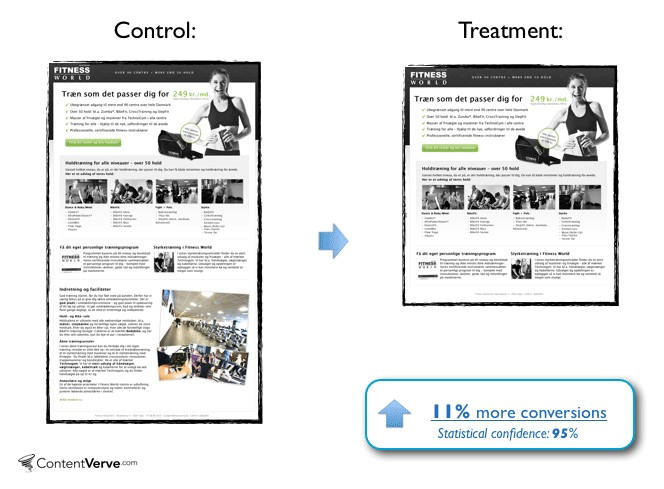
Unfortunately, that isn’t a set-in-stone rule. For example, testing on Crazy Egg found that long-form copy produced 7.6 percent more leads (and better-quality ones as well). On the other side of the spectrum, a Scandinavian gym chain got 11 percent more conversions with shorter copy.

The takeaway? TEST to discover what works for your business.
control vs. treatment how do you ab test a webpage

12. Video vs. Text Sales Pages

Video copy is both difficult and expensive to create; hence, the general preference for text-based copywriting. But could you be missing out on potential conversions by failing to test video copy? Maybe so.

Depending on the size and capital of your business, you’ll have to decide whether a video sales page is worth it (and don’t forget text and video combinations).

how do you ab test a webpage video Six Pack Ab Exercises improve conversions by 46.15%.

This video landing page helped Six Pack Ab Exercises improve conversions by 46.15%. What could a video do for your business?

13. Actual Text

As with typefaces, testing hundreds of different versions of your text-based copy, each with only a small change from its predecessor, can be a fruitless waste of time and money.

So, while you should continually edit and experiment with your copy, remember to look at the bigger picture. Don’t get hung up on every other word.

General A/B Tests for Your Website

The following are various A/B tests that don’t fit in any of the above categories. They fall under sales funnels, website design/structure, and more.

14. Number of Columns

Multiple-column landing pages definitely look a whole lot cooler than those with single columns.

But in CRO, coolness doesn’t count.

In fact, a SaaS company increased its conversion rate by 680.6 percent when it changed its two-column pricing page to a single-column page.

15. Background Images and Patterns

Your landing page background (a solid color, pattern, or image) has a very consequential subliminal effect on your readers. If you haven’t tested different background varieties yet, you’re leaving money on the table.

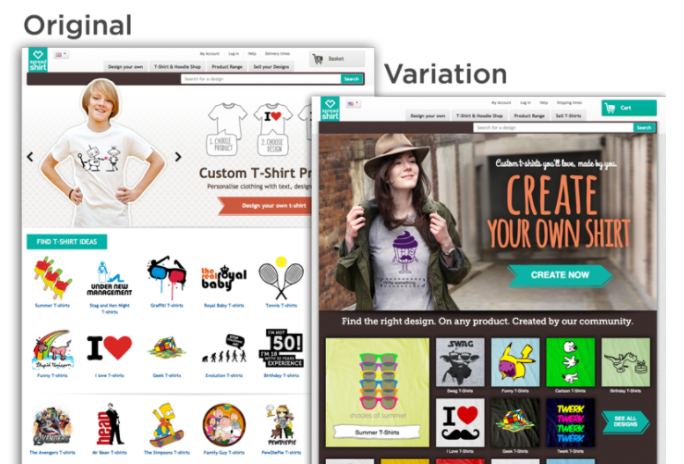
Spreadshirt tested their homepage images and increased clicks by 606 percent and sales by 11 percent.
16. Navigation Links

Your navigational menu’s presentation affects how and if you can get visitors to your money pages (your pricing page, contact form, etc.).

Test the number of links, the color of the menu, its position, etc.

17. Link Color

Trying to get visitors to click links from your blog post to your money page? Test the link color.

The presentation of your internal links isn’t something that most people associate with CRO right off the bat. But when you think about it, internal link color really can have a huge impact on the number of visitors that get into your sales funnel.

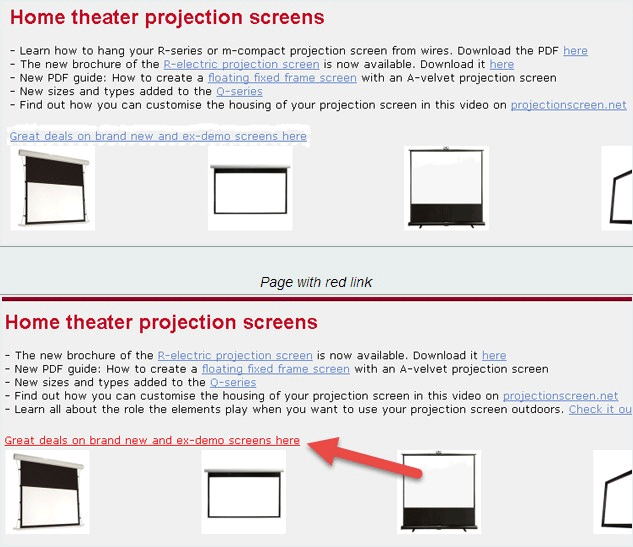
Take Beamax, for example, which increased link CTR by 53.13 percent by changing their link color to red from the standard blue.
What stands out gets clicked how do you ab test a webpage

18. Contact Form Fields

If your objective is to get contact/quote requests from your website, then the format of your contact form is critical to your conversion rate.

Test the number of fields (bare minimum is usually best) and the types of fields (checkbox vs. drop-down) to elicit more form submissions.
Contact form fields from 4 to 3 how do you ab test a webpage

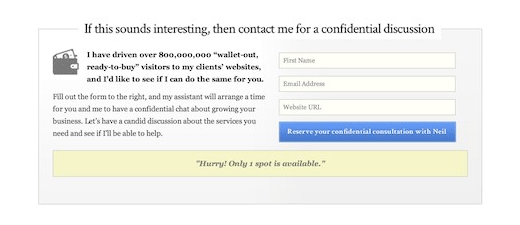
We changed the number of contact form fields from 4 to 3 for a 26% boost in conversions.

19. Number of Steps in Your Checkout Process

Case study after case study has proven that single-step checkouts will almost always convert significantly better than multi-page checkouts. If you’ve never considered a single-step checkout before, it’s time to test one.

Final Thoughts on A/B Testing Your Website

Sometimes it’s not the most obvious A/B tests that drive the most growth. Instead, it can be the unconventional tests, the ones you would have never thought would make an impact, that prove to be the most valuable. Other times, doing less can actually drive more conversions than constantly testing.

The A/B tests above should serve as a starting point. Once you see what changes impact conversions, you’ll have a better understanding of what drives your audience.

Have you had success with A/B testing your website? What change made the most difference?

The post 19 A/B Tests You Should Run on Your Website appeared first on Neil Patel.


from Blog – Neil Patel https://ift.tt/37YKZII
via IFTTT

NameCheap Review

Disclosure: This content is reader-supported, which means if you click on some of our links that we may earn a commission.

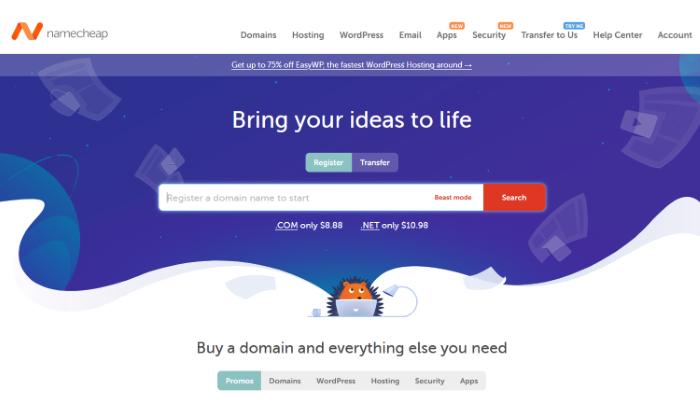
Starting a site and need a cheap domain name? Namecheap is the best option out there as far as affordable domain names go. 

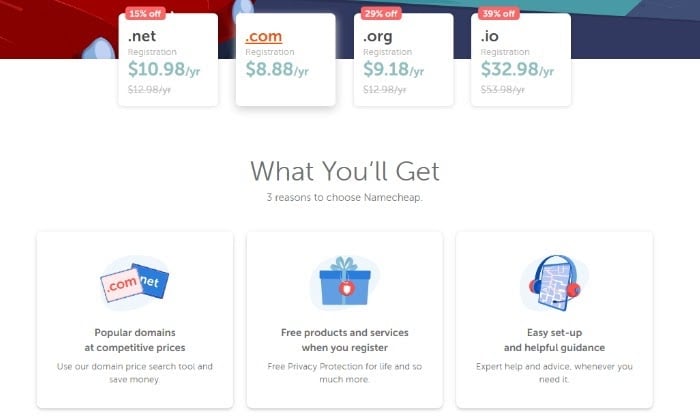
They start as low as $8.88 a domain for your first year with plenty of helpful add-ons.

It goes beyond just domain names and provides reliable hosting for more than 1.5 million websites of all shapes and sizes. This includes big clients like Buffer, Figma, and Imgur. 

In short, Namecheap is one of the top domain name registrars out there as an affordable and reliable domain and hosting option. 

Namecheap Compared to the Best Domain Registrars 

With millions of domain names at very low prices, Namecheap is a no-nonsense domain registrar that offers a slew of additional site hosting and management services. 

Every domain registration comes with free privacy protection, domain name security, around the clock support, full DNS access, and a detailed knowledge base in case there’s something you need further clarification on. 

I’ve also put together a list of the best name registrars, which you can look through to find one that works best for your needs. 

I looked at a list of key criteria spanning from registration renewal rates, number of domains, domain management, transfers, and extension options to put it together. You can see my top picks here. Namecheap did make the list!

For now, here’s a closer look at Namecheap and all it has to offer. 

Who is Namecheap Best For?

Namecheap is best for you if you’re looking to get a hold of a number of domain names affordably or if you’re simply trying to find the best deal on your domain registration, keeping in mind that it’s something you’ll have to renew yearly (though Namecheap lets you buy extended plans you can pay for upfront). 

If you want to buy a domain name and hosting all in one place at an affordable rate, Namecheap is excellent for that. It has plenty of hosting options to choose from. 

Namecheap: The Pros and Cons

Like any other name registrar on the market, there are pros and cons to Namecheap’s offers, and how important they highly depend on what you’re specifically looking for. 

Pros

Easy to use: Namecheap has an easy user interface where you can purchase what you’re looking for relatively fast without confusing hoops to jump through. If tech isn’t your area of expertise, this is a great plus. 

Free domain privacy: One of the best features of Namecheap is its forever free domain privacy. Other options like GoDaddy offer domain privacy for an extra fee and an add-on you have to continue to renew every so often if you want to keep it. 

Free migration: Namecheap helps you move your WordPress website to its hosting services for free within 24 hours. All you have to do is fill in and submit a request with a few of your site’s details.

Affordable all around: Namecheap differentiates itself in price, which is great for beginner sites that want to get their start without burning through too much of their budget. 

Updates to TLDs: Namecheap continually updates its list of top-level extensions so you can be sure you can always take your pick from extensions you might be interested in other than the popular .com. 

Free apps: Namecheap offers site-building apps that are both free and paid you can use for the success of your site, including logo building apps, site speed optimization, and even apps that help you with forming a proper LLC.

Great support: Namecheap offers live chat or a support ticket option if you run into site trouble and need someone to walk you through any troubleshooting you might need. 

Guides and videos: If you’re stuck and are a DIYer, Namecheap offers plenty of how-to guides and videos, along with an extensive and detailed knowledge base. 

Easy domain transfer: Want to transfer your domain to Namecheap? You can easily do it by submitting a ticket with all the necessary details. It can take anywhere from 30 minutes to six business days. 

Cons

Downtime issues: Namecheap provides site uptime monitoring that checks for problems every five minutes and then logs your site’s performance on your personal dashboard. However, some users have had problems with cases of downtime, despite other periods in the 99% uptime range.

Higher renewal rates: If you have experience with domain registrars, you’re probably familiar with the fact that most of them include higher renewal rates after your initial domain registration period is over. In this area, Namecheap is no different. 

Domain transfer fees: While it’s easy to transfer your domain registration over to Namecheap, it does charge a fee that can vary depending on if you have a coupon code for a discount. 

Namecheap Pricing

It’s easy to see Namecheap differentiates itself in pricing. It is constantly one of the most affordable ways to meet your web hosting and domain needs. 

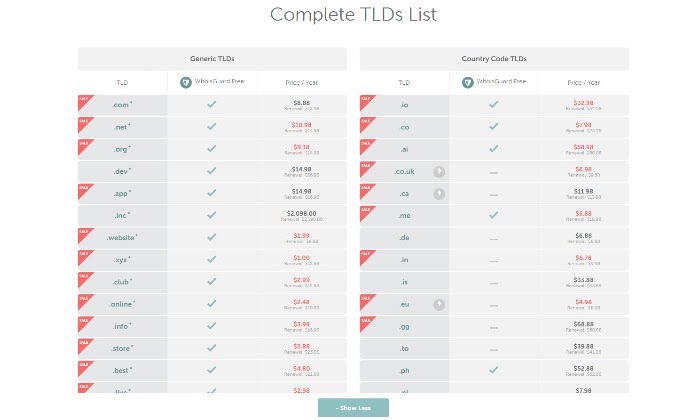
Here’s a look at the initial domain prices for different extensions:

Some of their most popular extensions go for:

  • .Com – $8.88 with a $12.98 renewal rate
  • .Net – $10.98 with a $14.98 renewal rate
  • .Org – $9.18 with a $14.98 renewal rate
  • .Io – $32.98 with a $34.98 renewal rate
  • .Co – $7.98 with a $25.98 renewal rate
  • .Ai – $58.98 with a $68.88 renewal rate
  • .Ca – $11.98 with a $13.98 renewal rate

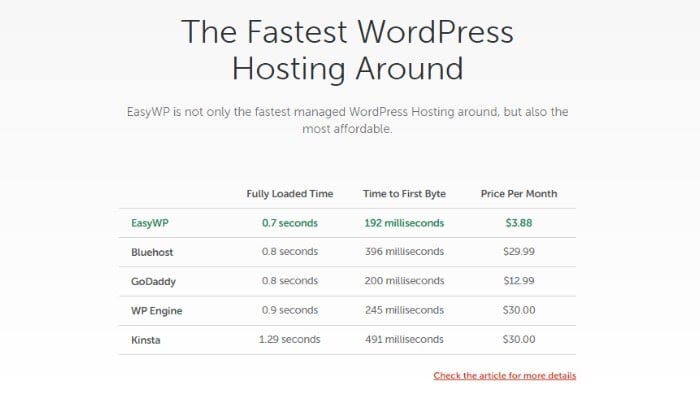
If you take the time to compare these to other prominent domain registrars, like Bluehost or GoDaddy, you’ll see just how much cheaper Namecheap can be. After all, the word “cheap” is in its name for a reason.

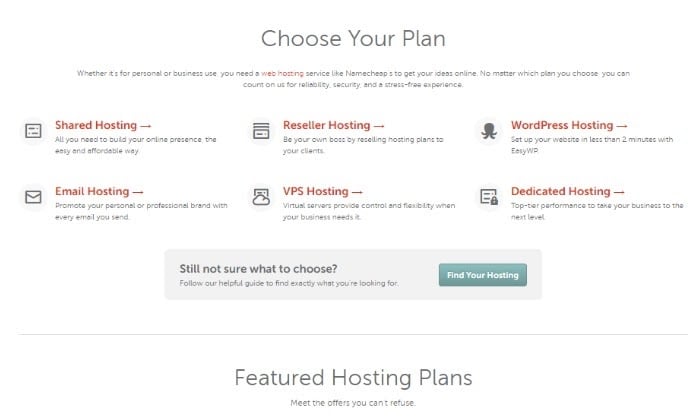
It’s worth taking a look at its web hosting prices, too. 

Shared Hosting

  • Stellar – $1.58 a month
  • Stellar Plus – $2.68 a month
  • Stellar Business – $4.80 a month

All shared hosting plans come with unmetered bandwidth, free website builder, domain name and privacy protection, free automatic SSL certification, and a 30-day money-back guarantee.

Reseller Hosting

  • Nebula – $19.88 a month
  • Galaxy Expert – $36.88 a month
  • Universe Pro – $54.88 a month

All Reseller Hosting plans come with unmetered bandwidth, Free cPanel/WHM, and a 30-day money-back guarantee.

WordPress Hosting

  • EasyWP Starter – $3.88
  • EasyWP Turbo – $7.88
  • EasyWP Supersonic – $11.88

All WordPress Hosting plans also come with handy features like 99.9 percent uptime, faster site load times, easy backups and restores, SFTP and database access, and easy WordPress installation. 

Email Hosting

  • Starter – $0.74 a month
  • Pro – $2.12 a month
  • Ultimate – $3.49 a month

All Namecheap email plans include custom domain-based email, anti-spam protection, Safe access with 2FA, Unified Inbox, POP3/IMAP/Webmail access, and HTML signatures.

VPS Hosting

  • Pulsar – $9.88 a month
  • Quasar – $15.88 a month

Though Namecheap doesn’t offer a ton of VPS hosting options, its two plans both include full root access and operating system (OS) selection, your choice of server management, top security standards, free transfers of existing websites, and, of course, a 30-day money-back guarantee if you aren’t satisfied with its service. 

Dedicated Hosting

  • Xeon E3-1240 v3 – $40.88 a month
  • Xeon E-2236 – $78.88 a month
  • Dual AMD EPYC 7282 – $255.88 a month

These are only a few of the dedicated server options Namecheap offers. They don’t stop there. If you want to take a look at all of its plans, you’ll want to spend some time on this dedicated server page, where you can personalize plans by the amount of CPU you need, your price range, RAM, and more. I love this feature because it means you can get specific with your dedicated hosting plan. 

Namecheap’s shared hosting plans are some of the most affordable out there. Especially if you take into account what you get beginning with its starter tier. At $1.58 a month, you can start hosting up to three websites with unmetered bandwidth and privacy protection.

You also get free automatic SSL installation, which can save you installation headaches. If you have experience with hosting providers, the process of successfully installing SSL certificates can sometimes be a real pain because of how clunky and confusing the process can be. 

If you’re going for affordable shared hosting, though, I’d recommend its shared cloud Stellar Business plan at $4.48 a month. Once you’re signed up, you’ll have access to:

  • 50 GB SSD
  • Host unlimited websites
  • Automatic backups and cloud storage
  • A discounted .com domain name

Hands down, it’s the shared hosting plan that’ll get you the most bang for your buck, even when you compare it to competing shared hosting providers. 

You can check out each shared hosting plan in detail at Namecheap.

Namecheap Offerings

Namecheap offers plenty of solutions for website management— from hosting to affordable domain names to apps and even dedicated security features. 

Namecheap Domains

What makes Namecheap such a great option for buying all your domains isn’t only how affordable it is but how easy they are to manage once you’ve registered them, along with the free perks you get through Namecheap like free privacy protection, which I personally love. In the age of the internet, privacy protection is never a bad idea and is always a plus. 

Namecheap WordPress Hosting

With Namecheap’s WordPress hosting plan, you can start hosting your WordPress site by paying $1 for your first month. 

Namecheap ensures a 99.9% WordPress site uptime as well as an easy-to-use dashboard where you can manage all your WordPress websites. Namecheap is an affordable and convenient option for WordPress optimized hosting because of how low its monthly hosting costs are, beating out competitors like Bluehost and GoDaddy. 

Namecheap Apps

What exactly are Namecheap apps? Namecheap apps are a relatively new feature that lets you buy applications to help make your site a success.

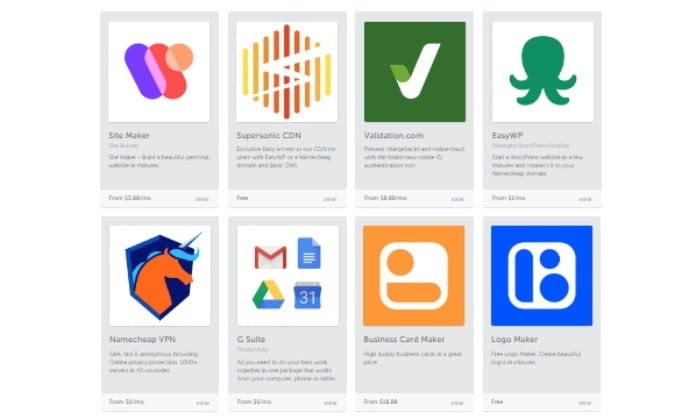
Many of the apps they offer are free, and you can start using others for relatively low monthly fees. Some of my favorites include its website builder at only $3.99 a month, its free logo maker, and its website uptime monitoring app, which is also free to use. 

Not many other domain registrars offer apps that help you beyond the process of simply registering a domain and purchasing a hosting plan. Here’s a look at the Namecheap apps you can use:

  • Supersonic CDN – Ensures your website is running as fast as possible
  • Validation.com – Verify and ID online customers
  • EasyWP – Easy WordPress site builder that’s great if you aren’t tech-savvy
  • Namecheap VPN – Protects your privacy online
  • G Suite – a centralized email solution for all your online communications
  • Business Card Maker – Need an online business card? You can design one with their business card maker
  • Logo Maker – You can create professional logos without having to hire a designer
  • Strikingly – An easy-to-use website builder for all your site design needs
  • Weebly – Easily build a website with Weebly
  • Ghost Machine – A blog building app that makes creating a blog a breeze
  • Namecheap Uptime Monitoring – You can keep track of your site’s uptime and downtime occurrences
  • Namecheap Legal – With Namecheap Legal, you can easily incorporate your business and form a proper LLC 
  • Canvas -An easy website builder you can start using in minutes

Namecheap Security

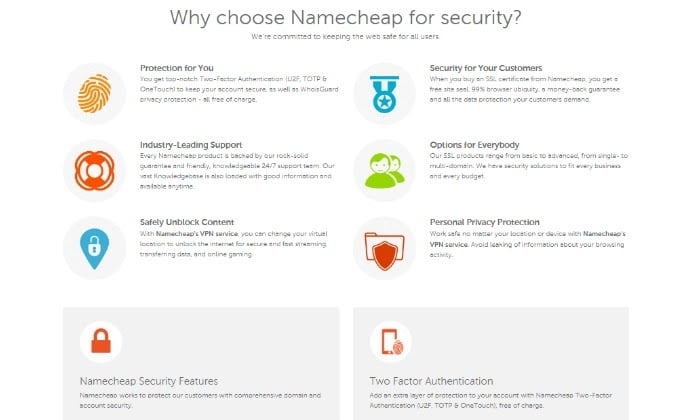
Without a doubt, one of Namecheap’s best differentiators is its dedication to privacy and site security. Features like two-factor authentication, the ability to safely unblock content with its VPN service, and personal privacy and browsing protection ensure your safety online. 

Other domain registrars don’t put as much care into their safety features and not many offer free privacy protection when you purchase a domain from them. 

The Best Domain Registrars

Don’t forget to check out my top picks for the best domain registrars you can use to register all your domain names.

  1. Bluehost – Best for bundling with web hosting
  2. Domain.com – Best for long-term registrations
  3. Namecheap – Cheapest domain registrar
  4. NameSilo – Best for buying domains in bulk
  5. Google Domains – Best for Google integration

Affordable and easy with a side of security and privacy protection is the name of the game for Namecheap. It offers unbeatable domain name prices and even competitive renewal rates once your registration period is over. This is what makes it a favorite in my list of top picks for best domain registrars.

Ready to get everything Namecheap has to offer? Get started here!

The post NameCheap Review appeared first on Neil Patel.


from Blog – Neil Patel https://ift.tt/3rahBXi
via IFTTT

What Are Productized Services?

what are productized services?

If you try to grow your consulting or freelance revenue by merely adding more clients to your portfolio, you may hit a common obstacle: Living project to project. 

This kind of lifestyle isn’t sustainable for everyone, and it can be frustrating and stressful.

One solution to this problem may be productized services.

The productized services model allows agency owners, freelancers, and consultants to break out of billing by the hour or per project and instead invoice by sets of services rendered.

What Are Productized Services For?

Productized services are standardized services sold like products, with clearly defined parameters and pricing. 

When we outline precisely what a customer will get and at what price, we can market and sell this “product” many times. The customer is still receiving a service, now with the appealing predictability of an off-the-shelf product.

Benefits of Productized Services for Freelancers and Consultants

Productized services allow you to grow your business and serve more customers without doing a ton of hands-on work on each project. The model is duplicatable and should only need modifications, not overhauls, from client to client or project to project.

Once you productize your service, you can sell it to multiple customers. This may allow your income to grow without drastically increasing your expenses. You may even be able to expand your service area as it should be easier to deliver your services.

You can sell this product while busy with other projects or while taking time off. If you want to bring on a few employees, you can train them to sell these pre-packaged solutions for you.

Additionally, a robust portfolio of productized services could be taken over and managed by someone new if you want to take a step back from being fully in charge.

So far, this may sound a lot like charging hourly, per word, and so forth. 

However, with productized services, you know exactly how much you’ll be bringing in once each project is complete. This means less worry about if a piece will take significantly longer or shorter than anticipated or wondering if you should refuse a project in hopes a more lucrative one will come along. 

For even more predictability, you can sell subscriptions to your services. This lets you package and market a productized service quickly without investing time in the development over and over again. 

It could additionally eliminate scope creep, saving you time and money and preserving your profit per customer, and often has a faster turnaround time in the long run.

Benefits of Productized Services for Your Customers

Productized services offer your customers an affordable alternative to traditional service agreements, where they might be paying for one on one attention and unpredictable hours. A productized service provides them with a set price and scope of work and the chance to choose what fits their budget. 

With more service providers creating productized services every day, there are plenty of choices available to make sure they find a solution that fits their needs. Keeping these costs down may allow them to invest more money in other aspects of their business. 

Examples of Productized Services

Productized services can come in many forms and are limited only by the imagination of the providers. Almost any service company can take its most popular offerings and create a solution to suit most customers. 

While many are business-to-business (B2B) solutions helping other business owners, this model can also work for business-to-customer (B2C) offerings. 

Consider a personal trainer who can only take on so many clients if they are booking individual hourly sessions. That same trainer could create online training sessions and support a much higher client volume. 

They may charge less for online access than personalized training, but the number of clients could quickly make up the difference. The trained could even choose to have in-person sessions while their online ones are occurring.

The key is to target specific needs for a particular group of clients.  If you hit the mark, you may find many customers are happy to take advantage of well-defined, pre-made work for a simple and affordable price. 

Here are just a few productized services examples from companies making this idea work for them. Some are recurring subscriptions, with services delivered at regular intervals, and others are one-off engagements. 

The common thread is that you’re selling the same service or work to multiple customers, with no customization or extra work needed for each one. 

Content Creation

A growing productized service offering is content creation. Once your clients realize the power of content marketing, they may recognize this is an unwieldy task to handle in-house. 

Examples of Productized Services - Content Creation

Take a look at a couple of content creation productized service companies:

  • Scribly offers scalable content marketing services to boost traffic and leads. 
  • Growth Machine plans, writes, optimizes, and then builds links to their customers’ business blogs. 

Website Design

Many business owners worry about the cost of website development and avoid or delay the project altogether. A done-for-you package with a set price can be attractive. 

Examples of Productized Services - Website Design

There are several website design productized services:

Graphic Design

Productized graphic design services are particularly popular. Some business owners aren’t sure how to budget for this type of work, so they welcome a capped price for a set service. 

Examples of Productized Services - Graphic Design

If you’re seeking a graphic design productized service, here are a couple of options to check out:

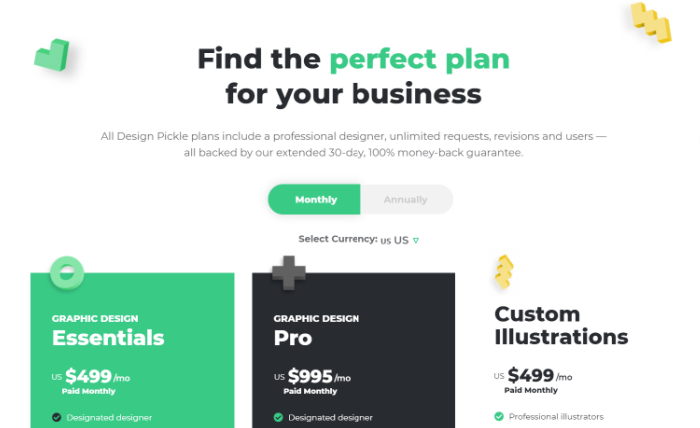
  • Design Pickle markets itself as the “The #1 Unlimited Design Service.”
  • Limitless Designs gives you a dedicated graphic designer for a set price per day.

Software

Software with a service (also known as SWaS) is implementing and managing an established software platform. If you provide this portion of work to clients with a repeatable process, you can sell a productized service to support an existing software platform.

Examples of Productized Services - Software

For examples of software productized services, take a look at the following:

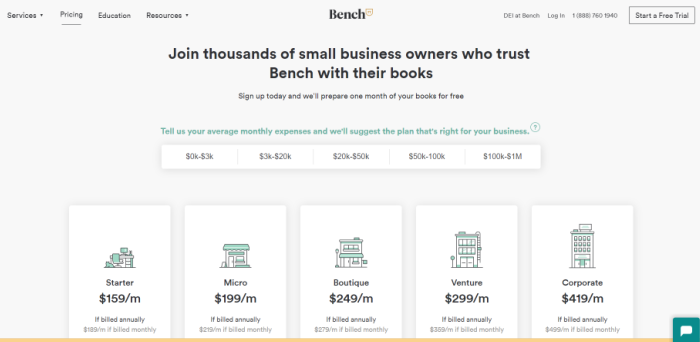
  • Bench uses its own software and supports clients in using it. They then manage the bookkeeping and reporting with monthly plans. 
  • ProcessKit Implementer is a done-with-you implementation of process-driven project management software.

Coaching

Offering your insight and experience to those who would like to follow in your footsteps can be an excellent foundation for a productized service.

Examples of Productized Services - Coaching

If you’re not sure where to begin and need inspiration—or you’re looking to hire someone for productized coaching services—here are a couple of options:  

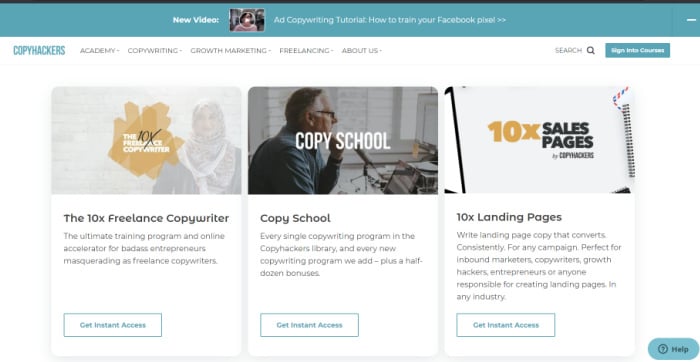
  • Copyhackers coaches writers to improve their copywriting skills and conversion techniques through courses and tutorials.
  • Boss as a Service helps you stay on track with your productivity goals, ensuring you meet deadlines and get your work accomplished. 

Consulting

Productized consulting services are allowing experts to share their knowledge with a broader audience. 

Examples of Productized Services - Consulting

Consulting productized services are offered by several companies, including the two below:

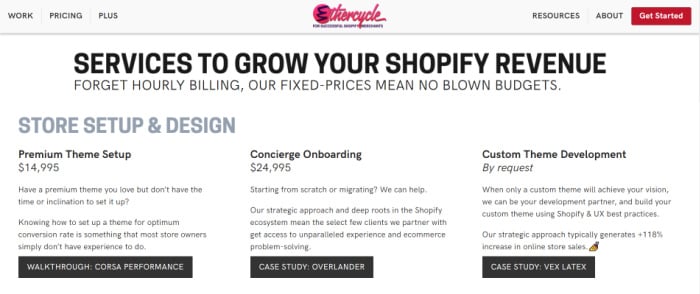
  • Ethercycle is a productized e-commerce consultancy offering to design and optimize Shopify stores for clients for flat rates. 
  • Dr. Alexis Shields offers an online health consultancy as a naturopathic doctor to shift from individual patient care to serving more people online. 

Marketing/B2B Solutions

Productized marketing services and other business support services can be a wallet saver for companies who need a modest amount of help in a few areas. 

Here are a few more productized service ideas supporting companies:  

Examples of Productized Services - Marketing B2B Solutions
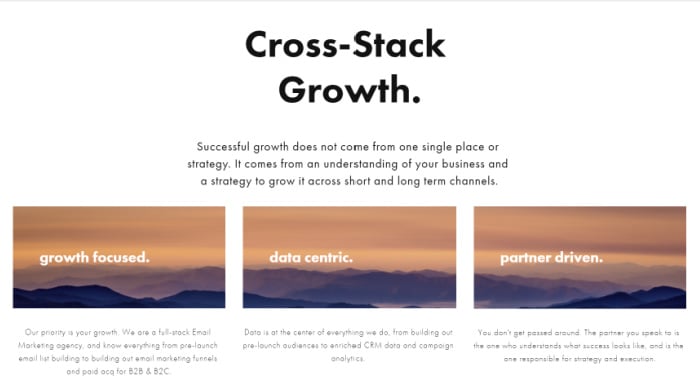
  • Boundless Labs offers full-stack e-commerce growth and email marketing.
  • Publicize offers a new approach to public relations and communications. 
  • Heroic Search offers productized SEO and link-building services. 
  • Case Study Buddy helps turn your success stories into sales by creating high-quality case studies.
  • Podcast Motor offers podcast setup and editing, as well as ongoing content production.
  • Bean Ninjas calls themselves the go-to accounting firm for e-commerce businesses looking to scale. 

How many of these companies are successful? 

A year ago, Boundless Labs was bringing in $90,000 per month

Scribly was recently reported to bring in $14,000 in monthly revenue

After about a year, Growth Machine grew to $1 million in annual recurring revenue (ARR.) 

These kinds of numbers are hard to ignore. 

Companies with the best productized service results identified gaps in the market, offered quality services priced right, and went big on the marketing. 

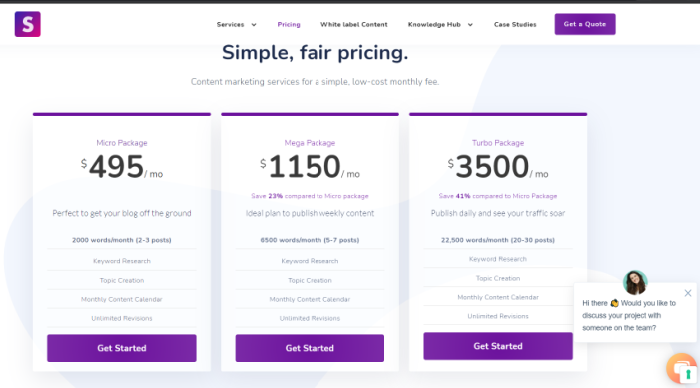
Their websites immediately impact strong branding and messaging, with all the information needed to consider their offerings. Plans and packages are clearly outlined with pricing, and help is a click away on most sites via online chat or one-click contact buttons.

How to Create a Productized Service

To create a productized service, you need to figure out which of your services suit an easily packaged “product.” 

Consider pain points you can solve for your customer. What do most of your customers need? What services do you commonly offer with a predictable scope of work and cost?

1. Identify Your Niche

Choose a service in demand by clients that’s easy for you to deliver via a smooth and predictable process. A predictable process makes it more likely you can turn a profit, and high demand means you already know there’s a market for this service.

Ideally, you need an idea that hits these targets that no one else offers quite like you can. If a service has already been perfected by someone else your clients could easily access, consider trying something else.

2. Develop Your Format

Next, you need to decide what format you’ll use to deliver your productized service. There’s a wide range of possibilities here. You could create courses or training sessions, offer your ideas in a book, create design templates, or create a website to provide your content—whatever makes the most sense. 

3. Determine the Structure

Consider how often your clients typically need this particular service. Will you offer one-time support or recurring subscriptions? 

For example, if you create logo designs for startups, you likely want to provide one-off packages with a defined scope of work included. 

If you offer a support service for recurring needs like bookkeeping, software with a service, or content creation, consider a subscription structure where clients pay a set amount per month.

Additionally, you need to figure out if your services are limited or unlimited. How much support will your client need in addition to the productized service? 

Consider how often a typical client needs your help and how much it costs to deliver. Your pricing needs to cover these costs. You may have to tweak the pricing as you test different options and compare your revenue and expenses. 

4. Refine Your Productized Service

Once you’ve chosen your productized service, you just need to add a list of productized services to your website, right? Not so fast. 

When you start to productize your service or expertise, there’s a lot of learning to do. You may find your first idea doesn’t take off, but it may lead you to a better idea that will attract more customers. 

You may need to consider different levels of service plans or packages to capture your market. It could take several iterations before you start seeing success, so keep testing. You also might have to try a few combinations of structure and pricing to make your offer truly tempting.

Once you have a winning combination, test different ways of selling it on your website, advertising it with paid ads, and other types of marketing. Repeat what works, and keep refining your idea and your offer.

5. Become an Industry Expert

People buy from experts and trusted resources. Research the competition in your niche, make sure you offer the best packages or plans and dig into the quality you can provide once clients sign up. 

You also need to invest time in marketing your productized service and sharing your successes as you get some wins. Collect and share client testimonials so potential customers can feel reassured they’re coming to the right place with their needs. 

Conclusion

Once you realize there are only so many billable hours in a day, the need to grow in new ways becomes clear. Figuring out how to charge your customers is always a challenge, but this takes the conversation to a whole new level. 

While individual consulting and custom services may be the gold standard, many businesses can’t absorb the cost. 

Additionally, many companies don’t need this level of service. If you can take the most common services you offer and create packaged solutions to cover most clients, you may grow more quickly.

If you’re looking to scale your business, this is a trend you shouldn’t ignore. If you aren’t sure where to start, reach out to chat about consulting services and let us help.

How could productized services help you scale your business in new ways? 

The post What Are Productized Services? appeared first on Neil Patel.


from Blog – Neil Patel https://ift.tt/3sGEP7I
via IFTTT
Sunday, 28 February 2021

GoDaddy Review

Disclosure: This content is reader-supported, which means if you click on some of our links that we may earn a commission.

GoDaddy hosts millions of websites all over the world as a giant in the hosting and domain name selling game. Its long list of products offers just about anything you might need to get a website up and running on a shoestring budget, at least for the first year. 

After lots of research, comparison, and consideration, it’s safe to say GoDaddy satisfies most of your website needs, especially if it’s your first time building a site and you want affordable VPS hosting. 

Beyond that, and as with any other web hosting and domain name provider, there are solid pros and cons to its plans and packages. 

GoDaddy Compared to The Best Cheap Web Hosting

I curated a top list of affordable web hosting providers, so you know your options if you need to start a website on a budget. GoDaddy is one of the best choices if you want hosting that’s a step above shared hosting with its affordable VPS hosting plan. For the price that some hosting providers would charge for shared hosting, you can get VPS hosting through GoDaddy. 

But, if you’re trying to find a more robust web hosting solution for your web project, GoDaddy does start to get expensive quickly. That’s why I deem it a great option for starter sites that can do with either shared or dedicated hosting and that don’t need tons of server power to run well. 

You don’t have to make a hosting decision in a hurry, though. See all of my top picks to make a more informed decision. 

Who is GoDaddy Best For?

GoDaddy is great for beginner website owners that want an affordable and convenient start for their websites with generous storage. GoDaddy also does well with around-the-clock site security monitoring, but perks like SSL certificates are add-ons you’ll have to purchase as extras. 

This is why it’s a great hosting option for smaller and beginner websites working with a budget and don’t need too many robust website solutions. 

GoDaddy: The Pros and Cons

There’s no question GoDaddy is one of the biggest names out there as far as how recognizable it is. It also houses the most domains globally, with over 17 million domain names on its roster. 

Still, there are pros and cons to choosing GoDaddy as your web hosting provider. Here are the more prominent ones to take into account.

Pros

24/7 support: GoDaddy ensures it’s always within reach if you ever need a hand or run into trouble with your site. You can either reach them by phone or use its handy chat support option. 

Lots of storage: When you look through and compare GoDaddy’s hosting plans, it’s generous with its unmetered bandwidth feature for all tiers.  

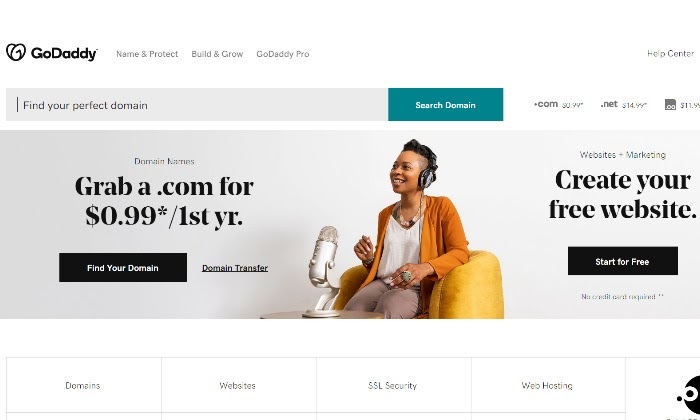
Affordable .com domain: GoDaddy offers you the chance to snag a domain for only 99 cents  for the first year, which can save you money as you begin. 

Unlimited site hosting: Most GoDaddy plans let you host an unlimited number of websites except for its cheapest Economy plan. 

Convenience: Since you can manage your domain and website in one place, GoDaddy offers convenience in managing both from one dashboard. 

Cons

Constant upsells: GoDaddy is notorious when it comes to its upsells through every step of the checkout process. While it does honor the prices for each tier if that’s all you’re going for, it’s quick to suggest add-ons and extra features you might not need. 

Expensive renewal rate: This is one of the reasons why I think GoDaddy is great for beginner sites that just want to get their foot in the door with hosting. Once that initial year is up, GoDaddy’s renewal rates can start to get costly for what you get. 

Charges for add-ons: Other hosting providers throw in free first-year domain registration, for example, or include free SSL certification as part of its plans. GoDaddy does not always include these features depending on the plan you choose and can charge extra for them.  

Inconsistent customer support: Support for GoDaddy isn’t always top-notch as convenience and reliability are concerned. There is always the possibility of long wait times to be connected to the right person. 

GoDaddy Pricing

GoDaddy’s prices can be broken down into two main categories: Domain name purchases and hosting plans.

Domain Names

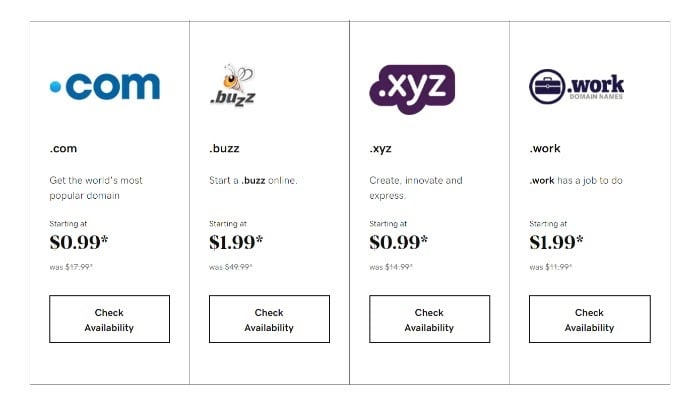
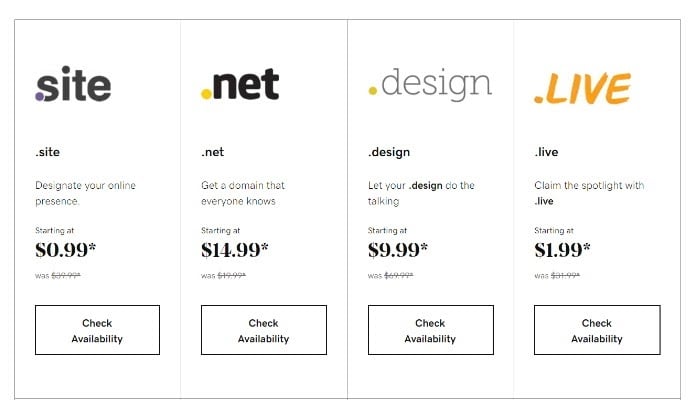
One of GoDaddy’s strengths is its huge list of domain name extensions. Its cheapest .com option, which is also one of the most popular extensions, is affordable for only 99 cents for the first year. 

If you happen to choose a hosting plan that doesn’t include a free domain name, a 99-cent .com extension isn’t a terrible price to pay. 

GoDaddy makes it easy to create, search for, or check on your domain name’s availability. GoDaddy offers some of the most affordable domain name plans out there as far as introductory pricing goes. 

Hosting Plans

Here’s a closer look at each of GoDaddy’s hosting plans:

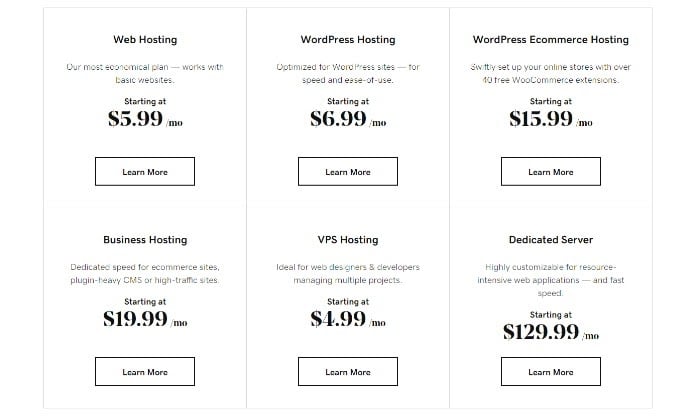
Web Hosting

  • Economy – $5.99 a month
  • Deluxe – $7.99 a month
  • Ultimate – $12.99 a month
  • Maximum – $19.99 a month

WordPress Hosting

  • Basic – $6.99 a month
  • Deluxe – $9.99 a month
  • Ultimate – $12.99 a month
  • Ecommerce – $15.99 a month

WordPress Ecommerce Hosting – Starting at $15.99 a month

Business Hosting

  • Shared Hosting – $5.99 a month
  • Business Hosting – $19.99 a month
  • VPS Hosting – $4.99 a month

VPS Hosting

  • 1 vCPU – $4.99 a month
  • 2 vCPU – $19.99 a month
  • 4 vCPU – $39.99 a month
  • 8 v CPU – $69.99 a month

Dedicated Server

  • DS 32 – $129.99 a month
  • DS 64 – $169.99 a month
  • DS 128 – $299.99 a month
  • DS 256 – $399.99 a month

Windows Hosting – Starting at $5.99 a month

  • Economy – $5.99
  • Deluxe – $7.99
  • Ultimate – $12.99

Reseller Hosting – Starting at $39.99 a month 

  • Enhanced – $39.99
  • Grow – $49.99
  • Expand – $64.99
  • Established – $89.99

It’s safe to say GoDaddy offers a ton of hosting plans that cover anything you might need. A giant list of 27 different hosting plans leaves little to be desired. 

I highly recommend you spend the time carefully walking through each hosting option and its corresponding tier according to your site’s needs. 

If you know you’re going to be using WordPress as your CMS, then you’ll want to pay special attention to its WordPress solutions. They’re geared for SEO compatibility, speed, and ease of use once you sign up for a hosting account. 

I’d like to highlight GoDaddy’s VPS hosting plan, as it’s one of the most affordable on the market. Other big-name hosting providers don’t even come close to how affordable GoDaddy’s VPS hosting plans are. You can’t beat a $4.99 price point for a self-managed virtual private server plan. 

GoDaddy Offerings

GoDaddy hasn’t gotten as big as it has without offering an extensive list of website building and hosting options. Once you land on the homepage, it can be overwhelming and hard to know where to start. 

To simplify its long list of plans and tools, there are three main categories its product offerings fall under. Let’s take a closer look at each one and how they stack up. 

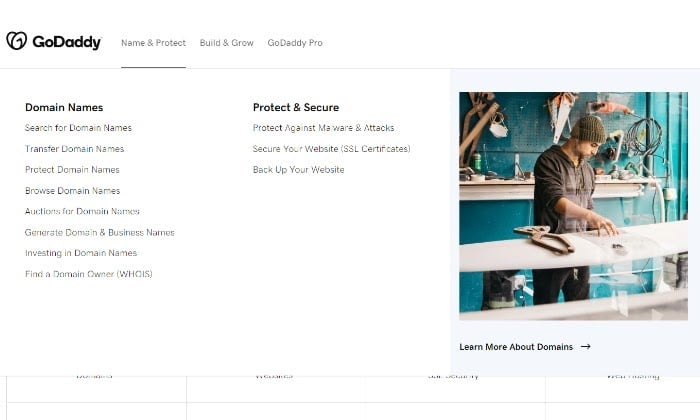
GoDaddy Name & Protect

GoDaddy Name & Protect offers some useful domain tools:

  • Domain name transfers
  • Domain name generator
  • Domain name search and WHOIS tools
  • SSL Certification
  • Website backup tools
  • Protect against malware and site attacks

If you’re starting a website, you know you’ll need a domain name, and this is where GoDaddy shines. It’s the biggest repository of domain names, and it’s sure to have the domain name you’re looking for.

If you happen to want a domain name that’s taken, you can try out its domain brokerage services or try the domain name generator to come up with a new site name.  

Like any other reputable hosting provider, GoDaddy also offers SSL certification, website backup tools, and your standard protection against malicious cyber attacks. 

Because GoDaddy offers plenty of usable domain tools, it’s frequently rated as one of the most popular hosting providers out there. 

But the fun doesn’t stop there. GoDaddy also offers plenty of website building and growth tools. 

Go Daddy Build & Grow

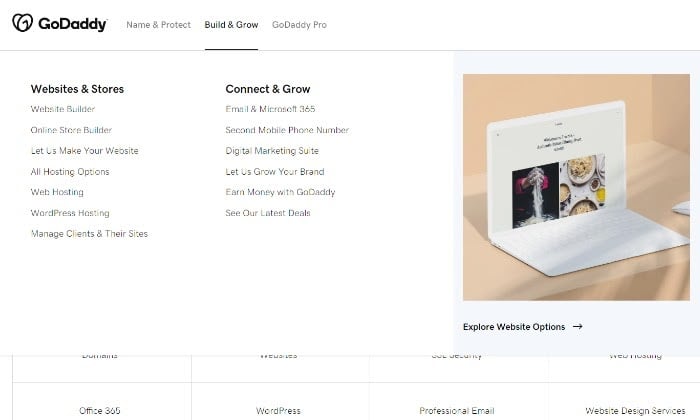
GoDaddy’s Build & Grow product offerings include:

  • Website builder
  • Online store builder for ecommerce sites
  • An extensive array of hosting options
  • Email and Microsoft 365 tools
  • Second mobile phone number
  • Digital marketing suite
  • GoDaddy marketing services

If I were to list every single tool GoDaddy offered its customers, we’d be here forever. As a web host and domain name registrar, GoDaddy seems to have taken the route of going wide instead of going deep with its key features and offerings. 

This can either appeal to you as a customer or turn you off and onto other hosting providers. It all comes down to what you value in a web host and what you’re willing to invest or need to manage your site successfully. 

The most important feature in GoDaddy’s Build & Grow product offering is its buffet of web hosting options. Here’s a more in-depth look at each.

Web Hosting: GoDaddy’s most basic hosting plan starts at $5.99 a month. Not quite as cheap as other beginner-friendly hosts, but still considerably affordable and great for starter sites that want to build their online presence. 

WordPress Hosting: WordPress hosting is specifically optimized for WordPress users in terms of speed and accessibility. WordPress plans start at $6.99 for basic hosting perks, including 30 GB of storage along with a free domain, free business email, and free SSL certificate. This plan works for you if your site hoovers around the 25,000 visitor mark. With three additional WordPress tiers, the deal only gets sweeter the more you pay per month. 

WordPress Ecommerce Hosting: GoDaddy has solutions for ecommerce hosting as well, with plans starting at $15.99 a month along with free WooCommerce extensions. Once you sign up to one of its WooCommerce tiers, you’ll easily be able to download and install WordPress and WooCommerce together to get up and running in no time. 

Business Hosting: A business hosting plan comes with more dedicated resources, but with a simplified control panel, so you don’t need a full IT team to manage your site. Plans start at $5.99 a month for shared hosting, which you can eventually upgrade as your site grows.

VPS Hosting: GoDaddy’s self-managed virtual private hosting plan is definitely one of its redeeming offers because of how affordable it is for developers and system administrators that want a more hands-on approach to their websites with plenty of customizable options. Plans start at just $4.99 a month, and it comes with one CPU Core, one GB RAM, and 100 GB SSD Storage. This is a steal when compared to what other websites charge for similar VPS hosting packages. 

Windows Hosting: Yet another solid GoDaddy option for Windows fans that starts at just $5.99 a month and comes with a free domain, 100 GB of storage, and a free Office365 email for your first year. If you’re already using Windows products, this can be a great plan to integrate into what’s already working. 

Reseller Hosting: Are you a reseller looking for reliable hosting resale options? GoDaddy lets you use its servers to build your own hosting business, starting at just $39.99 a month. If you’re in a unique position where you need more hosting options, you’ll have to give them a call to strike a deal with its sales team. 

Dedicated Server: GoDaddy has over eight powerful dedicated server plans you can choose from, each with its own set of isolated resources at your disposal. This is perfect for system developers and agencies looking for fast and reliable server capabilities. 

Plans can start as low as $129.99 a month. If you’re a beginner building a website for the first time, plans like these aren’t necessary to successfully build and grow your site. But it’s still good to know you have the option of powerful dedicated servers if you were to need it in the future. 

GoDaddy doesn’t hold back in giving you plenty of customized web hosting options. But it’s up to you to decide which tiers are right for you according to your website goals. 

This is what makes GoDaddy so beginner-friendly. It caters to basic hosting needs as well as more advanced options with specific server needs.         

GoDaddy Pro

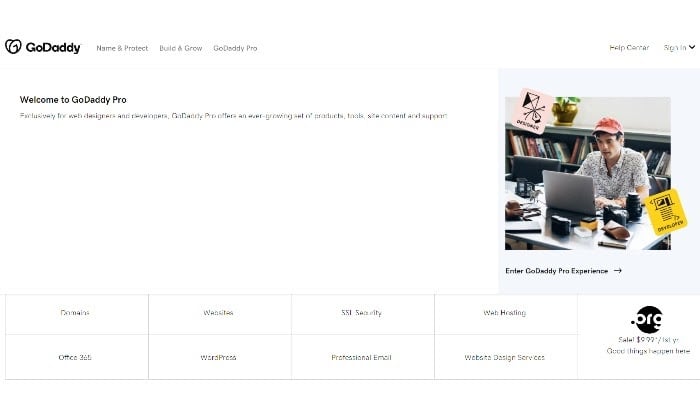
The GoDaddy Pro dashboard is where developers and resellers can manage client projects. A hub where you can manage all your tools, content, support, and discounts, as well as get in touch with GoDaddy support. 

Since I’m recommending GoDaddy as a great host provider for beginners, the GoDaddy Pro dashboard might not be a necessary tool for you if you aren’t a webmaster or reseller. But it’s a free option if you’re interested in signing up for it. And it’s another way to get in touch with support. 

The Best Cheap Web Hosting Provider

My team and I have created an in-depth review for the best cheap web hosting providers on the market you’ll want to read before making any real hosting decisions that you can see here. Here’s a quick recap:

  1. Hostinger — Best Web Hosting Plan Under $1
  2. Bluehost — The Best Value in Web Hosting
  3. A2 Hosting The Best Customer Service
  4. HostGator — The Best Cheap Cloud Hosting
  5. iPage — Best Cheap Web Hosting Features
  6. GoDaddy — The Best Cheap Hosting for Beginners

Overall, GoDaddy is a great cheap hosting provider for beginner websites who’d like affordable VPS hosting, especially in their first year. It’s a more budget-conscious option than others out there, and it offers plenty of add-ons you can choose to include in your plan, so you’re never left without the hosting tools you need to succeed.

Once you’ve made up your mind on a hosting plan, you can get started with GoDaddy here.

The post GoDaddy Review appeared first on Neil Patel.


from Blog – Neil Patel https://ift.tt/37QAs2b
via IFTTT