Instagram's insatiable thirst for your personal data now comes with a threat: hand it over, or else.
The Facebook-owned social media platform announced Monday that, going forward, users will be required to submit their birthdays to the company. If they don't feel like complying, then they won't be able to use the service.
"We'll show you a notification a handful of times and if you haven't provided us with your birthday by a certain point, you'll need to share it to continue using Instagram," reads the press release.
What's more, Instagram says that plans are in the works to catch people inputting fake birthdays.
"We recognize some people may give us the wrong birthday, and we're developing new systems to address this," warns the company. "As we shared recently, we're using artificial intelligence to estimate how old people are based on things like 'Happy Birthday' posts."
There's nothing you can hide.Credit: facebook
Instagram claims that this latest data grab is in the best interests of its users, and references a March move to make it harder for adults to message users under the age of 18.
"This information allows us to create new safety features for young people, and helps ensure we provide the right experiences to the right age group," explains the company. "For example, [with users' birthdays] we can apply recent changes we made to restrict advertiser targeting options for audiences under the age of 18 to more people."
However, Instagram is also quick to admit that it benefits from this new policy, too.
"[Knowing users' birthdays] also helps us show you more relevant ads."
Instagram's help center makes clear that, once given, there's no way to claw your birthday back from the company.
"Note that once you add your birthday to your profile, it can't be removed," warns Instagram.
Oh, and in case anyone was inclined to find a silver lining in this news — perhaps Instagram's new birthday policy will make it easier to remember friends' birthdays? — Instagram dashes that hope, too.
"Also, your birthday won't be shared with other people on Instagram."
Let’s face it: a picture really is worth a thousand words, but an image you made yourself?
Priceless.
Compelling images create a connection between you and your audience and help you build on that relationship. They encourage discussion and shares.
In short, images convert.
According to Venngage, 64 percent of marketers say images are “very important” or “essential” to their marketing strategy.
Yet, 40 percent of marketers use stock photos in their content.
While there’s nothing wrong with the occasional stock photo, businesses that want to stand out need to make the effort to create unique, stunning visual content.
The good news? You don’t have to drop thousands on a graphic design pro. With the right tools and knowledge, you can create stunning visual content on your own.
In this guide, you’ll learn which tools are the best for creating the most in-demand graphics (like social media cover photos, infographics, and trendy header images) and basic graphic design principles to help your visual content stand out.
Graphic Design Tools to Create and Optimize Visual Content
You know you need to be able to create stylish, professional-looking results – but how do you do it?
Fortunately, there’s no shortage of tools offering easy-to-use graphic design platforms.
The best part is that there’s no graphic design experience needed to create stunning, share-worthy images. You can simply drag and drop the elements you want to get surprisingly good results.
Even when you’re done, you can optimize the finished graphics to load fast and look great on any device; no designer necessary!
Here are a few of my personal favorites, along with the types of images you can create with them.
Tools toDesign Your Own Graphics
Creating graphics doesn’t require a degree in visual arts. Drag and drop editing tools make it easy to create infographics, blog photos, social media posts, and more.
Canva
This is a full-fledged graphic design program distilled into a simple, drag-and-drop platform. It works right from your browser, so there’s no huge software download or complicated licensing scheme to wade through.
Canva lets you create a whole host of graphics and sizing and dimensions are already taken care of.
Create everything from flyers to business cards or social media images and infographics. Use your own photos or browse Canva’s 1 million+ stock photo library where you can license images for as little as $1 each.
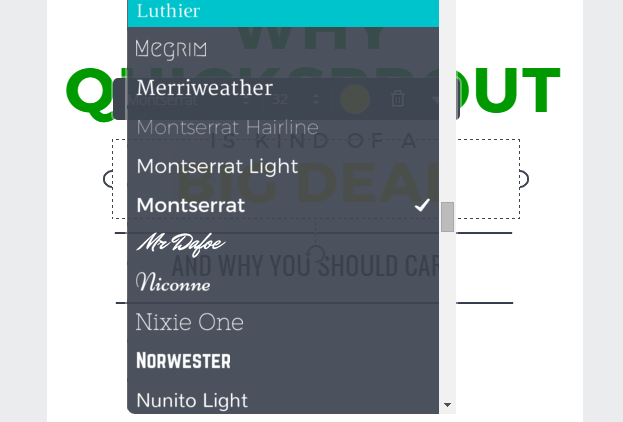
Simply choose a template as a starting point (or create your own if you’re feeling brave). Then, customize your colors, icons, photos, and fonts to design your own perfectly built graphic masterpiece.
Beyond photos, Canva also has a fully stocked library of graphical elements and shapes that form the perfect backdrop for any image. Simply search, drag and drop your way to an image you’ll be proud to say that you created.
A wide range of images and styles are available – ranging from social network graphics to collage-style images and everything in between.
The best part is most of Canva is free to use, apart from the photo licensing fees and added features. So you can create as many graphics as you want without restrictions. You can even log in using your Google or Facebook account – saving you from yet another password to remember.
PicMonkey
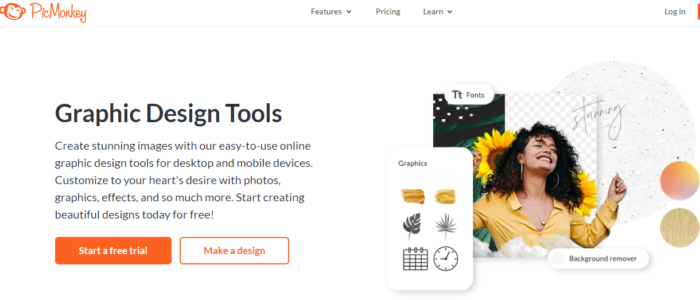
If Canva isn’t your jam, I suggest PicMonkey. It’s a pretty similar platform, but slightly more in-depth. If you want to erase backgrounds, add fonts, and even edit photos, it’s a great choice.
Top features include templates for different social media photos, photo editing, tons of graphic elements, and plenty of templates. Like Canva, it is a drag-and-drop photo and graphic editor and pretty intuitive to use.
Pricing starts at $7.99 a month for their basic plan, which includes 1GB of cloud storage, video editing, tons of fonts, and premium effects, templates, and touch-up tools.
Tools to Optimize Your Graphics
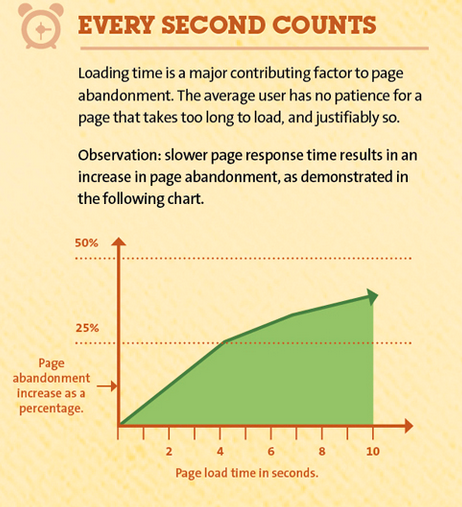
Slow load times can clog up your site and eat up your bandwidth.
Fortunately, several resources can help you tame large images without the help of a graphic pro. You can even resize or rescale them in bulk.
Optimizilla
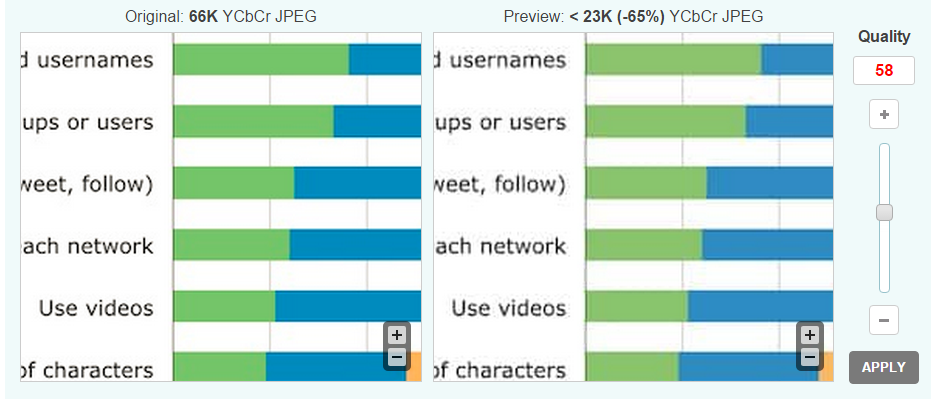
Drag and drop up to 20 images and quickly optimize them on the fly. You can click/tap through the images and then use the slider bar to adjust the quality and compare the two files:
Optimizilla works with both JPG (photos) and PNG (logos and transparent images) formats since both of these file types tend to be larger in size. All of the images you upload are automatically deleted after an hour and you can download the optimized versions selectively or all at one time.
Optimizilla is perfect if you have a limited number of images that need a size change and also tweak the quality of those images visually.
EWWW Image Optimizer
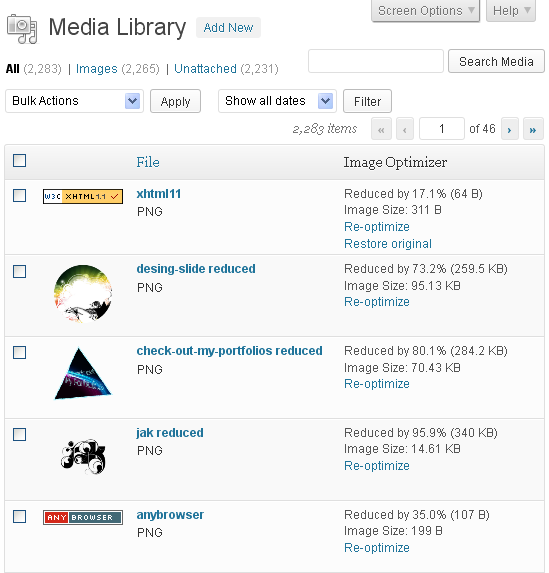
This WordPress plugin lets you optimize images fast. The end result shows you how much space was saved, as well as the percentage of reduction.
It works with other popular WordPress image plugins too, like NextGen photo gallery. If you don’t like how a reduced file size image looks, you can either re-optimize it with different settings, or restore the original.
The plugin leverages several unique optimization utilities in one complete package. Because each individual image format has different ways of conserving file size, each one has its own unique utility to compress images without sacrificing quality.
Even as a graphic designer-in-training, you can still be inspired by unique website and graphic designs. Trying to save them directly from your browser can be a download nightmare, though.
You end up saving a lot of extra scripts, content, and other junk that clutters up your hard drive. What if you could just have a screenshot of the page instead?
Page2Images
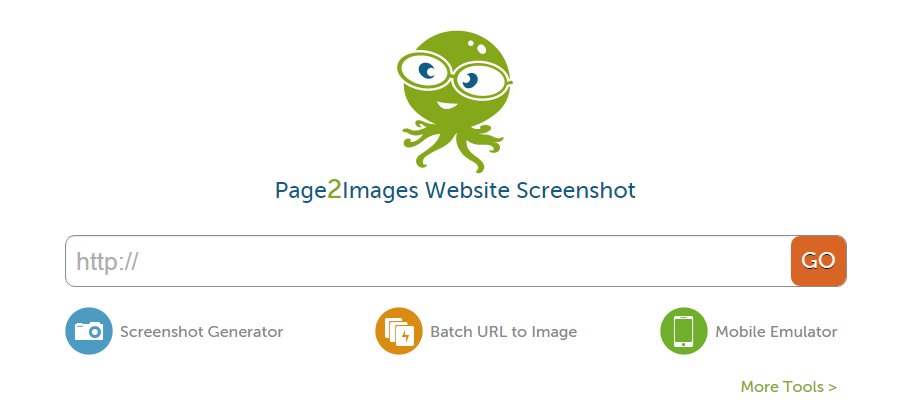
This site takes a screenshot of any page for you or converts multiple URLs into images.
It’s great for saving images for inspiration and for creating more engaging how-to content.
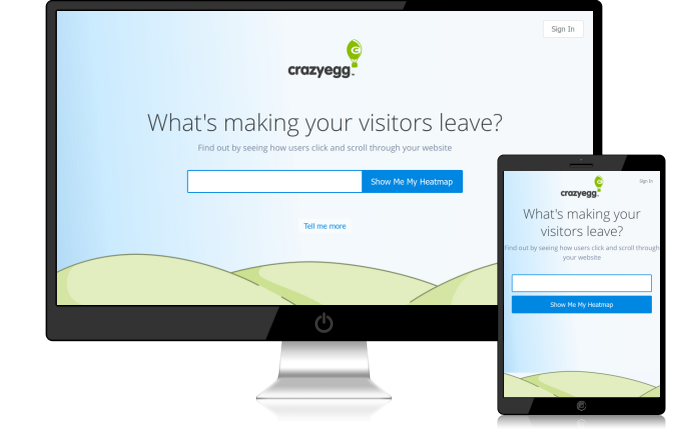
Page2Images also lets you see what your site looks like on mobile devices via its mobile emulator:
If you’ve ever wondered how to get that trendy “my site on a smartphone” look – this is how it’s done. It’s also a quick and easy way to tell whether or not your page is optimized for mobile devices.
If you’d like something beyond the typical computer screen and mobile device as your choices, check out:
PlaceIt
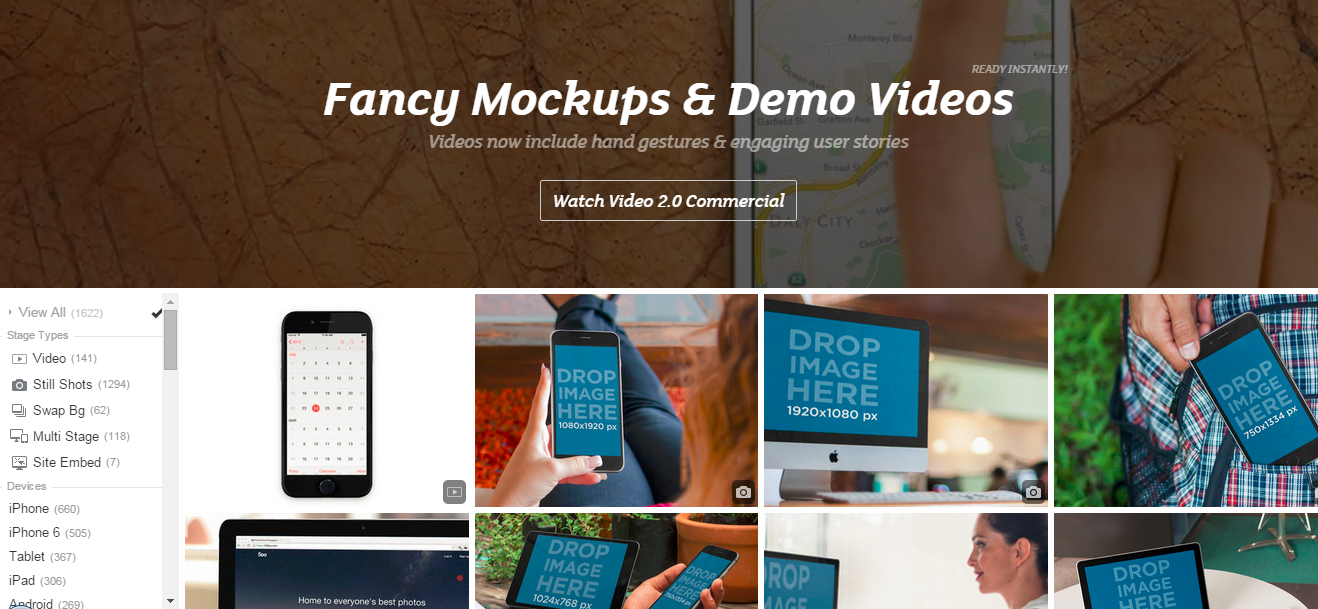
PlaceItlets you drag and drop your site to a variety of smartphones, monitors, tablets, and other devices. Don’t have a screenshot? No problem. You can choose an image and enter your URL to have PlaceIt grab an image of your site.
Want to show a group of people interacting with your app? Done.
Want to show off your new smartwatch program? Easy.
From billboards to bus stations, Placeit lets you put your site anywhere.
If you need a more human touch, PlaceIt also includes headshots of people of all ages and in a variety of situations. You can even narrow down your search to a specific gender, location, job, and much more.
Data Visualization Tools
Good data makes a larger impact when it’s visually relatable. When people see the numbers in a tangible, interactive way, your mission and goals go from being abstract terms to meaningful information.
These tools make it easier to use data visualization to create appealing charts, tables, and graphics.
Chartblocks
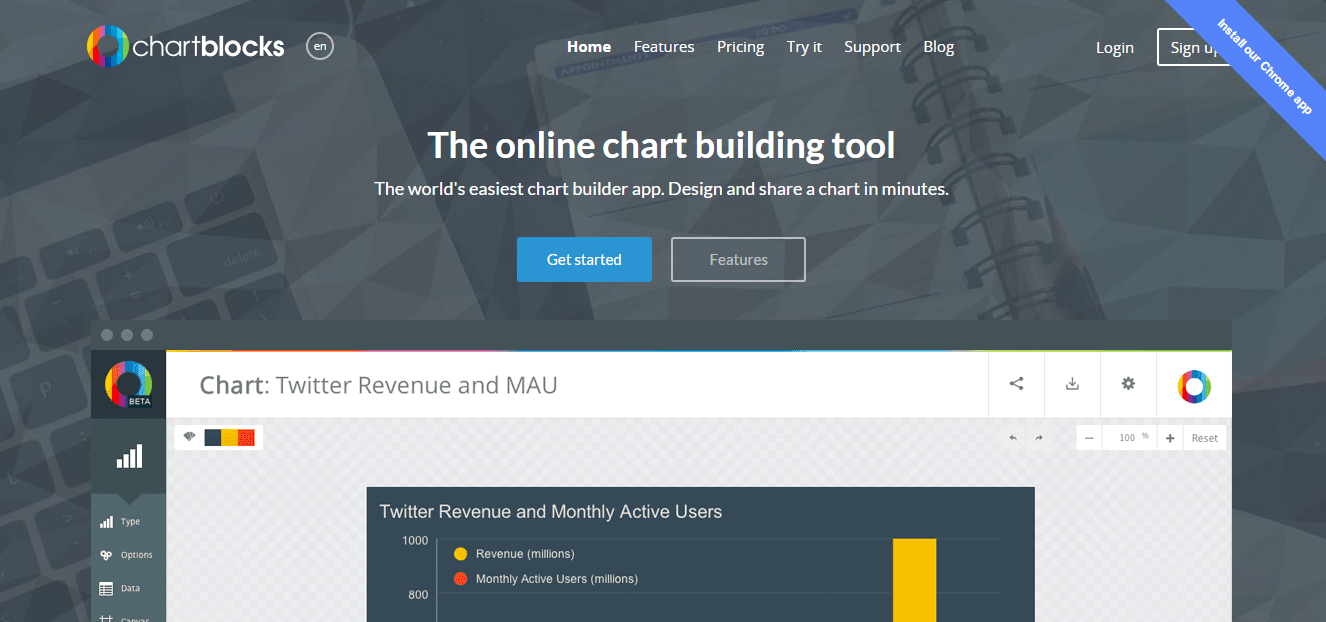
A tool that helps you create colorful, full-featured charts. Data can be imported from spreadsheets, databases, or even live feeds and every aspect can be customized.
The charts are designed using HTML5 and Javascript, so they’re optimized for mobile devices and can be embedded directly into third-party sites, like websites and social networks like Twitter and Facebook.
What’s more, the finished graphic can be saved in a vector format, meaning it can be resized to any height and width without a loss of quality or resolution.
A free plan is available which lets you create up to 50 charts as transparent PNG files. The free plan includes up to 50,000 monthly views and your charts are viewable publicly.
Paid plans give you more monthly views and the ability to make charts private. On the lowest-priced plan and the free plan, charts are branded with the Chartblocks logo.
Timeline
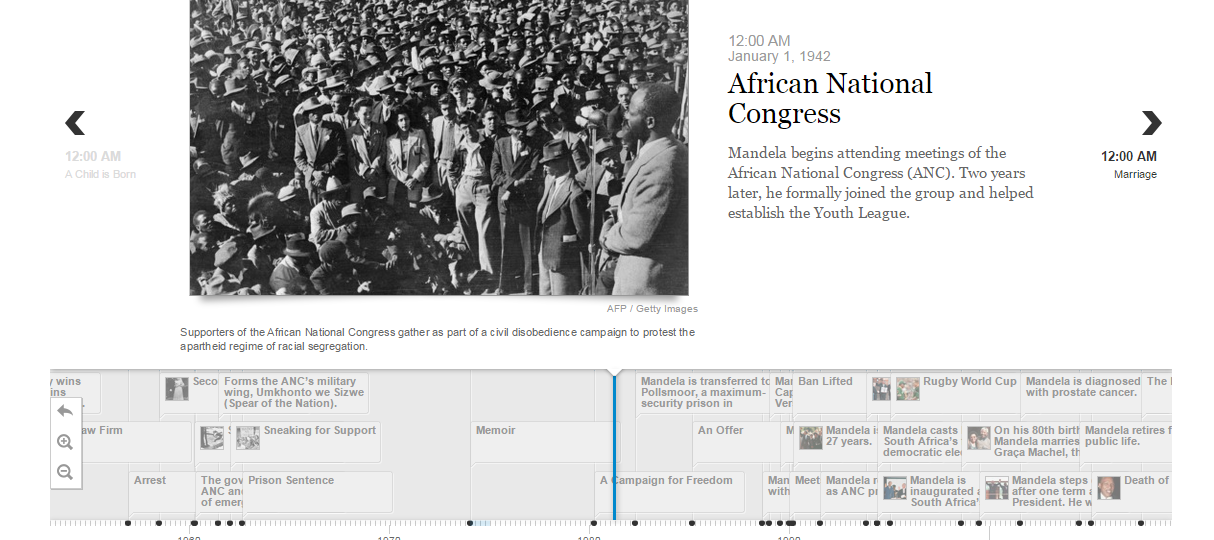
Timeline is an easy way to create an interactive timeline of events on just about anything. Timeline can pull media from sites including Twitter, Flickr, Google Maps, and Wikipedia as well as video sites like YouTube, Dailymotion, and Vimeo.
It can also pull sound files from Soundcloud, letting you create a rich media experience that’s interactive and informative.
Using a Google Spreadsheet, you’d simply enter the data into the pre-made template, including major and minor events, dates, and associated media. Timeline then builds the finished product for you.
When it’s ready, you’ll get a finished URL that you can embed in your website, showing off a timeline with an associated media slideshow in a similar format to the example above.
Social Media Graphic Design Tools
Whether you want to create awesome images for Instagram or interesting social media profile photos for Facebook, there’s a social media tool for that.
Here are a few of my personal favorites:
Social Image Resizer
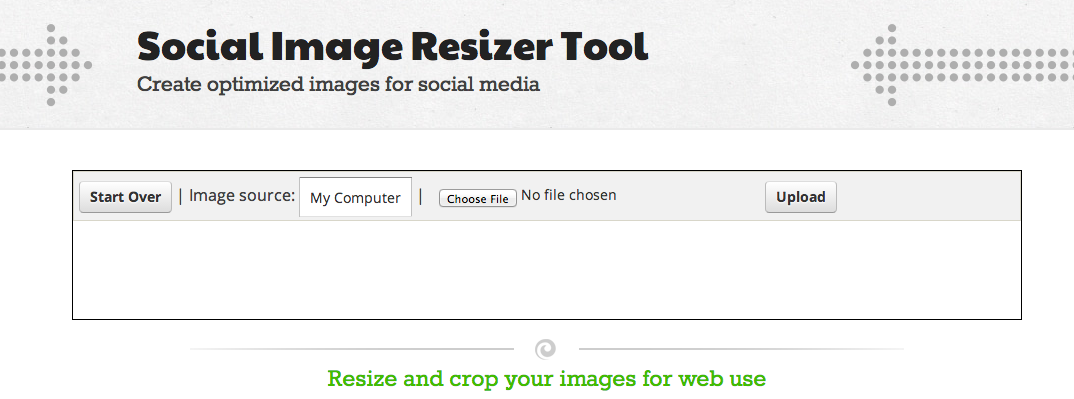
This web-based tool features a quick and easy way to take your existing images and resize them for use in just about any social media context. You can turn images into icons (even favicons), as well as Facebook and Twitter images.
What if you need more social network-ready images beyond Twitter or Facebook?
Desygner
This tool helps you create images for a variety of social networks. In addition to Twitter and Facebook (both cover and profile photos), you can make images for use on Snapchat, YouTube, Tumblr, and Pinterest.
They offer a free plan with thousands of free images.
With these tools, you’ll never run out of unique professional looks for your social network pages.
Of course, now the question becomes – where do you find graphics?
There are plenty of stock photo sites online, but for those just getting started with graphics, there are also plenty of free (even for commercial use) images and photos you can use.
Where to Find Imagesfor Visual Content
One of the biggest challenges to overcome when designing your own graphics is finding pre-made images that you can use as a starting point. Fortunately, these sites will make finding images and icons for your projects (even commercial ones) as easy as searching and downloading.
Flat Icon contains over five million icon and stickers to choose from. These include all of the common computer-style icons (cursors, pointers, and the like) but also include icons of a variety of other things like people, objects, animals, and more.
Many of the icons are free to use with proper attribution to the author.
An icon-illustrated repository of graphics depicting just about anything. Anyone can volunteer and artists from around the world have created miniature works of art on anything you can imagine from summer camp to tattoos.
Just because you have all the tools at hand doesn’t necessarily mean you can create great graphics (although it certainly helps!). That’s because none of them teach youhowto actually design.
While the subject of how to design graphics from scratch is far more involved than this guide can cover, there are nevertheless a few basic principles to keep in mind.
Graphic Design Basics: Principles and Elements
There are six basic principles to graphic design. These apply whether you’re designing a logo for your website or a print brochure.
Graphics of all sizes and styles use one or more of these principles, so knowing them and how to apply them to your design will help you create the kinds of results you can’t wait to show off.
The Line
Lines are the building blocks of graphics. They separate and create borders. Thin, straight lines give the impression of a more corporate and professional look, while hand-drawn lines can show a more artistic, or even childlike flair.
These days, many websites trend toward segmenting content in large “blocked” areas, dividing each one with a line to keep the user scrolling. Not only does this give you a visual separation, but it lets you transition from one thought to another without losing your visitor in a sea of content.
The Shape
Shapes can impart meaning. Think about the octagonal STOP signs; you don’t need to see the word STOP to know what the sign is. Or, the cross symbol that denotes first aid tells you that is a place to get medical help.
Shapes impact our world, our feelings, and how we interact with the world around us.
Sharp, angular shapes are seen as being more rigid and forceful, whereas gentle sloping or curved shapes have more of a feminine appeal to them. Keep these points in mind when considering your target audience for your new design.
Texture
Textures create a wide range of design possibilities and still remain popular on web pages to this day.
From natural patterns like wood and leaves to background designs like paper or chalkboards, texture communicates a great deal about the page itself, even before you read a word.
If you’re looking to create a certain impression in the minds of your users, consider the available textures that lend themselves to that type of design.
Color
Color is one of the most important, but also one of the most overlooked, aspects of graphic design. It’s important not just in logo and website design, but also in print.
Color and its various shades (see more on that under Color Values below) have very different meanings to visitors around the world. Depending on language and colloquialisms, colors can impart feelings as well.
For example, many people associate “going green” with doing things that are good for the environment. But when someone is “green” with envy, it can convey a sense of jealousy.
That’s why it’s important to properly balance color with other aspects of your page or design so that you create a positive association in the minds of your visitors.
Even if you’ve gone to great lengths to choose an appropriate color scheme, there’s still the shade, hue, and degree of lightness or darkness of the color that can change its perception.
Color Values
A color’s value is the intensity of its lightness or darkness. For example, orange may be perceived as a color of warmth, friendliness, and confidence, but once lightened into more of a peach tone, can give off more of a feminine, comforting vibe.
Darkening a color can make it seem more foreboding or unapproachable. Many corporate sites follow the “dark blue and grey” color scheme which, while it seems “safe,” can also be off-putting to consumers and make them feel as if the company is cold and uncaring.
It’s a lot to keep in mind, but having some basic knowledge of how colors affect your user and how you want your design to be visually perceived and understood can make a significant difference in how well it resonates with your chosen demographic.
Space
Space is the last of the graphic design principles, but it is certainly not the least. You may have heard the term “white space” before – meaning the area of a page with no graphic elements or color.
Having enough white space on a page gives each individual element a sense of “breathing room.” Having too much white space can make a page seem like the elements are floating all over the place with no real cohesion.
Like all of the other graphic design principles covered here, you need to carefully balance your use of space to avoid making your graphic look too cluttered or too empty.
How to Improve Your Graphic Design Skills
Once you have a firm understanding of the basics, you’ll want to branch out and try new things.
Even if your artistic ability ends at drawing a stickman (and a shaky one at that!), improving your graphic design skills is more about being observant and perceptive rather than having amazing artistic ability.
Study Famous Graphic Designers
Having the tools and knowing the basic principles of graphic design will take you far, but one of the most crucial ingredients of a great graphic design is creativity. Contrary to popular belief, creativity is not born, it is learned and made through practice.
What better way to practice and learn than by seeing what others have done?
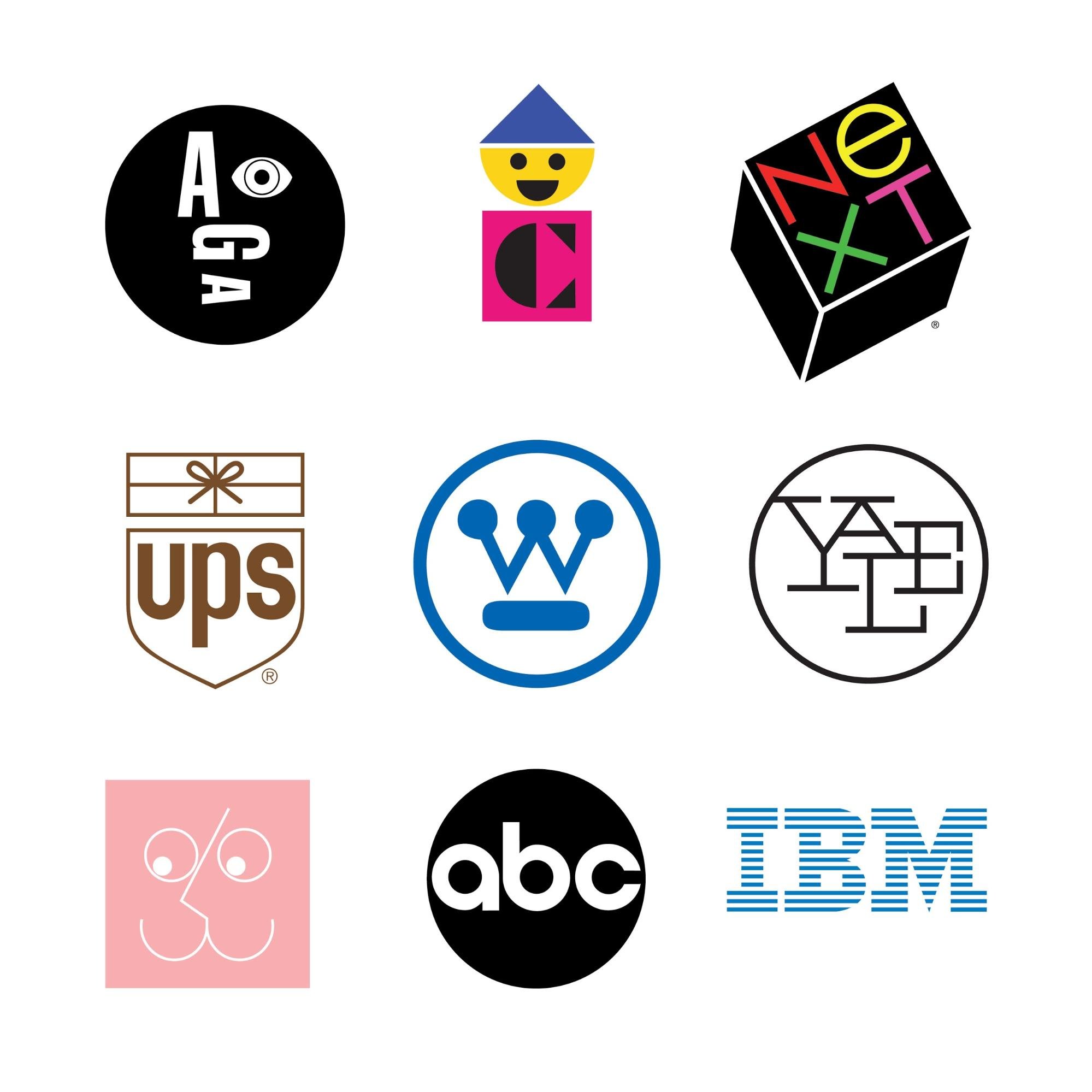
For example, you may not have heard of a graphic designer named Paul Rand, but you’ve most certainly seenhis work:
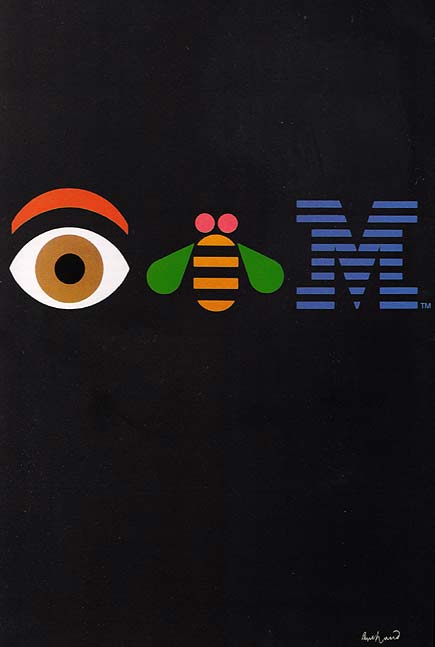
Largely self-taught, Rand’s best advice to aspiring graphic designers was the “you don’t have to be original. You just have to be good.” Even if you weren’t familiar with the brand’s logo, Paul was determined that eventually, you would be.
One of his most famous corporate poster designs reflects that insistence:
Create a Swipe File
The best way to start is to look around. Check out sites likeDribbbleandBehancefor design portfolios you like and then follow those designers so that you’ll get updates when they add new selections to their portfolios.
Create your own little “swipe file” of ideas, concepts, and images that you like. Remember, even the most complicated designs can be broken down into their core pieces — shapes and lines.
When you learn the process behind the design, you can work on how to recreate it on your own.
If you like what you see, stretch your skills a little more and learn about filters and layers — core components of top-tier graphic design tools like Photoshop and Illustrator.
Obviously, I’m not advocating that you infringe on someone else’s copyright. Everything in this guide is meant to walk you through the learning process to create your own graphics with no experience starting out.
Don’t be afraid to emulate those whose style you enjoy. Over time you’ll come to refine it and create your own style.
Don’t Be Afraid to Ask for Feedback
It can be hard to ask for feedback on your work – especially when you’re just starting out.
You’re anxious. Unsure of yourself. Afraid of criticism.
We’ve all been there and experienced that. Don’t be afraid to ask for feedback. However, instead of saying “What do you think about this?” ask “How can I make this better?”
People won’t want to openly criticize your work, so asking what they think is bound to get you some praise – but praise isn’t what we’re going for – we’re going for improvement.
Some feedback is well-meaning, but when put into your design, it would make the end result look terrible. That’s okay, too. As the designer, you’re free to dismiss any or all feedback.
However, take the time to reflect on criticism before dismissing it. Is something lacking from the piece? Does it communicate the brand and message well? Is it something that others would want to share on their own social media pages?
Remember, everyone was a beginner once. Some may have more artistic or creative talent than others, but it’s not something that can’t be developed over time.
Taking the time to learn the skills behind great graphic designs will help you appreciate and admire the work that goes into them even more.
Yes. There are a number of tools and guides (including this one) that can teach even non-designers the basics of graphic design. Using a tool like Canva or PicMonkey, you can create visually appealing content for your blog, social media channels, and more.
What's the fastest way to learn graphic design?
The fastest way to learn graphic design is through practice. Use a tool like Canva or PicMonkey that offers templates. Then create a swipe file of graphics you like and use those for inspiration.
What is the best graphic design tool for beginners?
PicMonkey and Cavna are easy to use for beginners. They feature drag and drop functionality and templates you can customize to fit your needs.
What is white space in graphic design and why does it matter?
White space refers to the space between design elements. It can be used to direct the eye to important details or make websites easier to use.
Guide to Visually Stunning Content for Non-DesignersConclusion
As you can see, getting started designing your own graphics doesn’t have to be overwhelming.
A basic sense of how colors, lines, space, and other principles play together on a canvas is only the beginning. Today’s most in-demand graphic designers spend years perfecting their skills and building upon these core concepts.
For the rest of us, however, the web has made it easier than ever to craft beautiful, interactive designs that don’t take an artistic touch.
If you want to build upon what you’ve learned in this guide, there are plenty of fantastic resources, portfolios, and graphic design tips out there waiting for you.
Have you tried out any of these tools? Which one is your favorite?
from Blog – Neil Patel https://ift.tt/3DpbGo1
via IFTTT
The benefits of multichannel marketing are clear. It creates more opportunities to:
Expand brand awareness.
Reach prospects and returning customers.
Generate qualified leads.
Tailor content to each specific channel and audience while also maintaining a coordinated strategy.
Maximize marketing ROI.
But just because you show up on multiple channels, does not guarantee a successful multichannel campaign—especially if your social media team was left out of the planning phase.
A social media manager’s job is to provide expertise, build strategy, craft engaging platform-specific content, and decide if that content fits into the current overall conversation on social media–not to just blindly post when someone says “post this.”
Instead, social marketers need to be brought into conversations early and often to support cohesive multichannel marketing.
3 reasons to include social teams in multichannel campaign planning
1. Social data can strengthen your campaign strategies
The best multichannel marketers know where their target customers are, why and what kinds of content resonates in each place. Social marketers are inherently multichannel marketers as they strategize, publish and engage on several social networks at a time. As a result, they have a direct view into customer preferences thanks to social data.
When social teams are brought into multichannel campaigns from the start, they bring data to the table that can refine your campaign goals and personas, inform your messaging and dictate which channels you show up on.
Going forward, social media is expected to become organizations’ primary source of business intelligence. Tap that data source and the experts on it now to get ahead of the curve.
2. There’s more than one way to post on social
Just as audiences differ from network to network, so do the features and formats. Sending a last-minute request to “just post this” boxes social marketers in and may limit how they can promote a campaign. When the social team is in the loop from the beginning, they can plan a social media mix of posts, stories, long or short-form videos and other content that boosts the visibility, creativity and overall impact of a multichannel campaign.
Social networks also have specific dimensions and limitations for what you can and cannot post that non-social marketers may not be aware of. By taking a social-first approach to creative production, businesses can avoid pushback from their social teams, last-minute requests for resized assets and low performance.
Life of a social media manager:
Them: here's a great pic to post.
Me: It IS a great pic! But could you… um… retake it without the garbage and recycle bins in the foreground?
3. Social marketers are in tune with the voice of the culture
Social provides a view of culture at large. Breaking news, viral memes, hot takes, social justice movements and other trends constantly swirl around social, making social marketers cultural connoisseurs. By tuning into the voice of the culture, they can surface perspectives and provide insights that result in relevance and true business impact. Their ability to read the moment and consumers’ mindsets can also help businesses avoid social missteps.
Give yourself more credit than just intuition. If a sea captain has seen and analyzed 1 million waves, no one questions his directions to the helm. We've seen 1 million social posts. These two scenarios are different because … not much. Our 'seas' are plenty treacherous, too.
Social listening, and listening to social marketers, gives businesses the power to reject assumptions about their customers or culture and instead use compelling, real-time insight to build multichannel campaigns.
Create a social media mix that complements other channel investments
Deploying a campaign on every channel possible is not only cost-prohibitive–it’s unnecessary. Marketing teams need to strike a balance between the channels that complement one another and the campaign at hand. How you determine that balance depends on your goals and, of course, your target audiences.
Let’s say you’re a direct-to-consumer, e-commerce brand looking to promote a new product launch with sights set on attracting prospects, qualified leads, web traffic and sales.
Together, marketers that specialize in email, paid search, digital advertising and social media can share expertise and data from past campaigns to decide which investments will be most effective.
Diversify content across platforms while maintaining your campaign identity
Once you’ve identified your channels of choice, marketers need to create a mix of content that is cohesive and tailored for audiences on each channel.
I do not recommend posting the exact same thing in every platform.
Each platform has its own nuances, accepted practices, vernacular … and you have use them to know them.
Spotify’s annual Wrapped campaign, which spans digital and traditional channels, gives customers a personalized review of their listening habits and the world at large a rundown of the year’s top songs, artists, playlists and more. It’s a master class in multichannel marketing.
Here are a few ways the streaming giant’s 2020 campaign built brand awareness, inspired customer loyalty, generated leads and compelled businesses to advertise on Spotify.
Email marketing and in-app notifications alerted Spotify users that “Your year in music is here.” The messaging is simple, direct, puts the focus on the customer and includes a CTA that drives right to the campaign landing page, where users have to sign in to gain access.
The colorful, personalized and interactive experience is optimized for social, encouraging users to share their Wrapped report with their networks. As a result, users spread brand awareness for Spotify and inspire enough FOMO among the have-nots to get them to sign up for the streaming service.
In addition to social ads and UGC, Spotify used organic social content as an opportunity to hype the campaign before launch day and extend engagement after.
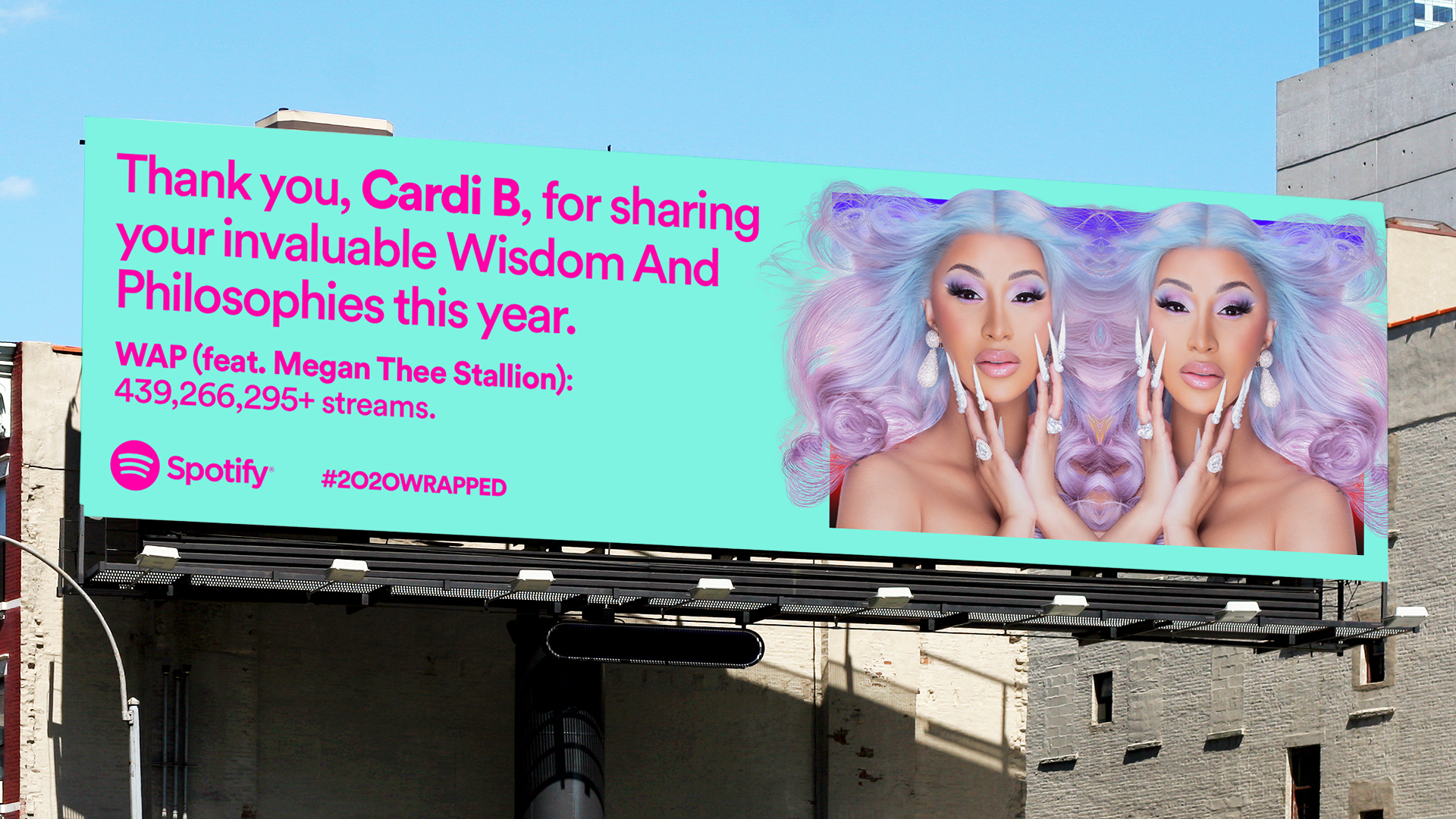
Billboards were placed across the globe with streaming data and messages of gratitude to the artists, podcasts and playlists that got us through the year.
For Spotify users, the Wrapped campaign is all about their personal listening habits, but there’s another audience that this campaign intrigues–advertisers. In addition to the swell of Spotify users sharing their listening accomplishments, Spotify publishes a Wrapped report for advertisers that’s chock full of consumer data and insights and concludes with a lead generation form.
Spotify’s Wrapped campaign is a massive multichannel campaign. While your business might not be able to go quite as big, the takeaways here are transferable:
Coordinate your strategy in collaboration with various marketing disciplines.
Create an identity and core concept for your campaign that carries over from channel to channel.
Customize messaging and content for the audience, features and goals of each channel.
Don’t overlook social data and social experts
The success of any campaign hinges on showing the ROI, which has long been a challenge for social marketers. However, only 29% of marketers use social data to assess campaign performance. The other 71% are missing out.
Don’t just take the social data and run though. Giving social marketers a seat at the table to share their knowledge, ideas and creative vision are critical to the success of your multichannel campaigns, even when social is just one component.
Trust your social media manager.
Listen to your social media manager.
Give your social media manager a seat at the table.
Let your social media manager be a part of the decision making process.
Stop treating your social media manager as someone who just posts things.
If your next campaign is around the corner, prepare to launch with a social media campaign brief that empowers and aligns your team. Download this template to get started.
Gen Z’ers, which includes those born between 1996 and 2012, now make up 20 percent of the US population and account for $143 billion in direct spending. If you are still focused on millennials, it’s time to start paying attention to a new generation of consumers. Here are five ways to attract and keep Gen Z customers.
1. Research Gen Z Culture
Gen Z’ers are digital natives; they’ve always had access to smartphones and social media. They are also one of the most diverse generations in history. This impacts how they think — and how they spend their money.
If you want to sell to this unique generation, your company needs to learn who they are and how they interact with brands in your industry.
Here are resources for your team to learn more about Gen Z.
Look for Gen Z’ers that represent the best of this generation by offering the perks they care about, such as:
flexible working hours
ppportunities for growth
including them in projects that make a difference in the world
3. Offer Buy Now, Pay Later (BNPL) Payment Options
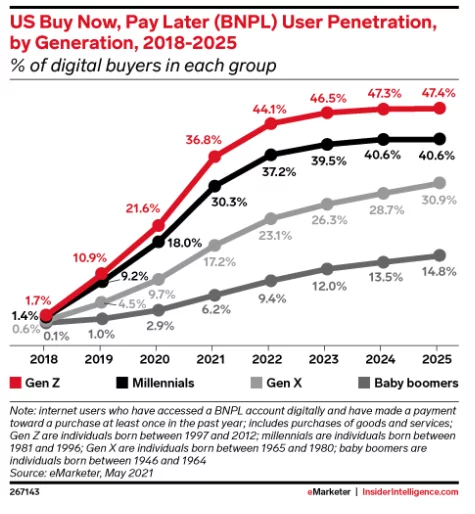
Gen Z customers value one thing above all else: flexibility. This is why offering BNPL options, like PayPal’s enterprise BNPL, is crucial for attracting the Gen Z market. As younger workers, they are unlikely to have the financial resources to make larger purchases. In fact, Gen Z is expected to make up 47.4 percent of BNPL users by 2025:
BNPL allows Gen Z access to greater flexibility (and little to no interest rates.) Since much of the group works paycheck to paycheck, this flexibility is crucial.
4. Take a Stance on Social Issues
Gen Z is politically aware and active, and they prioritize spending their money on brands that align with their views and values. Look for causes that naturally align with your brand, and take stands on those issues.
Don’t insert your brand into social issues that you don’t understand, or you risk alienating this generation. Instead, sponsor or promote causes you care about and find ways to make your brand more environmentally and socially conscious.
5. Take Steps to Make Your Brand Trustworthy and Authentic
Trust matters to Gen Z shoppers. They are less likely to respond to straight advertising (they often use ad blockers) and more likely to respond to brands that are transparent.
Here’s how to increase transparency:
Show how you use/gather data for ads, including how long you store it and whether you share it.
Create authentic ads and marketing campaigns; don’t try to trick Gen Z customers.
Make sure your contact information is easily accessible on your website and social accounts.
If you use influencer marketing, choose smaller, more trusted influencers to partner with.
Trust also impacts what payment methods Gen Z’ers are willing to use, and PayPal offers a considerable competitive advantage. In fact, 53 percent of consumers between 18 and 39 say they trust PayPal to keep their financial information secure.
Conclusion
Gen Z’ers already impact a large portion of consumer spending. In the coming years, their buying power will continue to grow. To market to this generation, executives must push their brand to understand how Gen Z’ers think and invite them to join a movement, not just market another product.
Use PayPal’s BNPL to build trust and provide Gen Z’ers with the financial flexibility they want. Learn more here.
from Blog – Neil Patel https://ift.tt/3gMlxKV
via IFTTT
Months after hopping on the Clubhouse bandwagon, Twitter found a way to monetize it.
Twitter announced Friday that some users on iOS would be able to charge money for Spaces audio chats. That's the feature Twitter launched back in May in response to the Clubhouse zeitgeist — a moment that now feels like ancient history.
Spaces live at the top of the timeline where Fleets used to be before their incredibly horny demise, and they allow people to listen in on live audio broadcasts hosted by people they follow. The paid version of the feature is known as "Ticketed Spaces." Hi, monetization.
While it's limited to select users on iOS for now, Twitter's announcement said in no uncertain terms Ticketed Spaces will come to everyone at some point.
Twitter opened applications for Ticketed Spaces back in June, as it started outlining a slew of ways for users to get paid for their posting efforts. It doesn't seem like the company is placing extreme limits on what can happen in Ticketed Spaces, but the application page mentioned workshops and meet & greets with fans as possible uses for the feature.
For Twitter-based influencers, it could be an easy way to earn some cash for the mere act of engaging with an audience they may have spent a decade or more building without much monetary return until now. Though they may face a tough sell in an online space where users often say outright, with mock incredulity: "This website is free."
As someone who has posted incessantly for years purely for the love of the game, I won't judge anyone who choose to use, or ignore, this feature.